
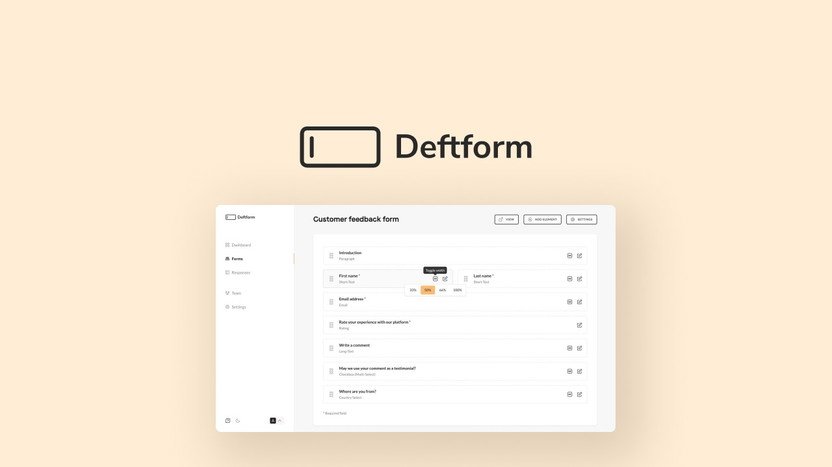
Deftform is a versatile design tool that simplifies the process of creating stunning forms. It offers an intuitive interface and robust features for users of all skill levels.
Deftform stands out in the crowded market of form-building tools by combining ease of use with powerful functionality. This platform caters to a wide range of needs, from simple surveys to complex data collection. Users appreciate its drag-and-drop editor, which allows for seamless customization without any coding knowledge.
With a focus on user experience, Deftform helps streamline workflows and enhances engagement. The tool also integrates with various applications, making it a flexible choice for businesses and individuals alike. In this review, we’ll explore its features, benefits, and potential drawbacks to help you make an informed decision.

Credit: twitter.com
Introduction To Deftform
Deftform is a powerful online form builder. It simplifies creating forms for various purposes. Users can create surveys, registrations, and feedback forms easily. This platform stands out with its user-friendly design and advanced features.
What Sets Deftform Apart
Deftform offers unique features that enhance user experience. Here are some key aspects:
- Drag-and-Drop Interface: Build forms effortlessly without coding.
- Customizable Templates: Choose from a wide range of templates.
- Real-Time Analytics: Monitor responses instantly.
- Mobile Optimization: Forms work perfectly on any device.
- Integrations: Connect with popular apps like Google Sheets and Mailchimp.
The Rise Of Online Form Builders
Online form builders have become essential tools for businesses. They streamline data collection and improve engagement. Here’s why they are gaining popularity:
- Ease of Use: No technical skills required.
- Cost-Effective: Save on printing and paper costs.
- Speed: Create and distribute forms quickly.
- Accessibility: Forms can be accessed from anywhere.
The demand for efficient data collection is rising. Businesses and individuals prefer digital solutions. Deftform meets these needs with its robust features.
Key Features Of Deftform
Deftform stands out with its unique features. These features make form creation easy and efficient. Users can customize forms, analyze data, and enjoy a user-friendly design.
Customizable Form Templates
Deftform offers a variety of customizable form templates. Users can choose from templates for different needs. This flexibility helps in creating forms quickly.
- Templates for surveys
- Templates for registrations
- Templates for feedback
Each template is fully editable. You can change colors, fonts, and layouts to match your brand. This ensures consistency and professionalism.
Intuitive Drag-and-drop Interface
The drag-and-drop interface makes form building a breeze. Users can add fields and rearrange them effortlessly.
- Simply select elements
- Drag them into place
- Drop to create
This interface reduces the learning curve. Even beginners can create forms without technical knowledge. Design forms quickly and efficiently.
Advanced Data Collection And Analysis
Deftform provides advanced data collection tools. Users can gather data in real-time. This feature helps in making informed decisions.
| Data Features | Description |
|---|---|
| Real-Time Analytics | View responses as they come in. |
| Export Options | Export data in multiple formats. |
| Visual Reports | Generate charts and graphs for easy understanding. |
Users can analyze trends and patterns in data. This insight helps in enhancing future forms and strategies.
Ease Of Use
The ease of use of Deftform makes it popular among users. Both beginners and experts find it user-friendly. Its intuitive design simplifies tasks. This section explores the user experience for different skill levels.
User Experience For Beginners
Beginners can easily navigate Deftform. The interface is clean and straightforward. Here are some features that enhance the beginner experience:
- Simple Layout: Clear menus and options
- Guided Tutorials: Step-by-step instructions available
- Helpful Tooltips: Instant tips on hovering
- Community Support: Active forums for questions
These features help beginners learn quickly. Users can start creating without feeling overwhelmed. The learning curve is gentle, making it accessible for everyone.
Time-saving Tools For Experts
Experts can utilize advanced features in Deftform. The platform offers tools designed to increase efficiency. Here’s what experts appreciate:
| Feature | Description |
|---|---|
| Keyboard Shortcuts | Speed up tasks with simple key combinations. |
| Custom Templates | Create and save personalized layouts. |
| Batch Processing | Handle multiple tasks at once. |
| Integration Options | Connect with other tools for seamless workflow. |
These tools save time and enhance productivity. Experts can focus on creativity, not on technical details. Deftform’s design caters to both beginners and seasoned professionals.
Integration Capabilities
Deftform offers powerful integration capabilities. It connects smoothly with various applications. This makes it a versatile tool for users. Streamlining processes becomes easier with Deftform.
Connecting With Other Apps
Deftform integrates with many popular applications. Users can easily link their workflows. Here are some key integrations:
| Application | Integration Type |
|---|---|
| Google Sheets | Data Export |
| Slack | Notifications |
| Zapier | Automation |
| Mailchimp | Email Marketing |
These integrations enhance functionality. Users can share data easily across platforms. This connectivity simplifies data management.
Automating Workflow With Deftform
Automation is a key feature of Deftform. Users save time and reduce errors. Here are some ways to automate workflows:
- Form Submission Notifications: Get alerts in real time.
- Data Synchronization: Keep information up-to-date automatically.
- Task Assignments: Automatically assign tasks based on form responses.
- Reporting: Generate reports automatically for easy analysis.
These automation features make Deftform efficient. Users can focus on important tasks. Streamlined workflows lead to better productivity.
Security And Compliance
Security and compliance are crucial for any digital platform. Users want to know their data is safe. Deftform prioritizes these aspects to build trust. This section covers their data protection measures and compliance with global standards.
Data Protection Measures
Deftform implements strong data protection measures. These measures ensure user data remains confidential and secure.
- Encryption: All data is encrypted during transfer and storage.
- Access Controls: Strict access controls limit who can view sensitive information.
- Regular Audits: Frequent security audits identify potential vulnerabilities.
- Firewalls: Advanced firewalls protect against unauthorized access.
These practices help safeguard user information against threats.
Compliance With Global Standards
Deftform adheres to several global compliance standards. This commitment ensures they meet user expectations.
| Compliance Standard | Description |
|---|---|
| GDPR | Protects user privacy and data in Europe. |
| HIPAA | Ensures protection of health information in the U.S. |
| ISO 27001 | Sets standards for information security management. |
By following these standards, Deftform demonstrates its dedication to security.
Customization And Branding
Customization and branding are vital for any online business. Deftform offers powerful tools to enhance your forms. This section highlights how you can personalize your forms. You can also embed them seamlessly on your website.
Personalizing Form Appearance
Deftform allows you to change the look of your forms. You can adjust colors, fonts, and styles. This makes your forms align with your brand. Here are some key features for personalization:
- Color Schemes: Choose colors that match your brand identity.
- Fonts: Select from various font styles to enhance readability.
- Field Styles: Customize input fields for a unique touch.
- Button Designs: Change button shapes and colors for better visibility.
Embedding Forms On Your Website
Embedding forms is simple with Deftform. Use easy-to-follow steps to integrate forms into your site.
- Design your form using the customization tools.
- Copy the generated embed code.
- Paste the code into your website’s HTML.
- Save changes and view your form live!
Embedding ensures your forms match your website. You can capture leads without disrupting the user experience. Deftform makes it hassle-free and efficient.
Pricing And Plans
Understanding the pricing structure of Deftform is crucial. Different plans cater to various user needs. This section explores subscription options, comparing free and paid features.
Comparing Subscription Options
Deftform offers several subscription options. Each plan has unique features and benefits. Here’s a quick overview:
| Plan Type | Monthly Cost | Annual Cost |
|---|---|---|
| Free Plan | $0 | $0 |
| Basic Plan | $10 | $100 |
| Pro Plan | $25 | $250 |
Each plan provides different features. Choose the one that fits your needs best.
Free Vs Paid Features
The Free Plan is great for beginners. It includes:
- Basic templates
- Limited storage
- Email support
On the other hand, the Paid Plans offer more advanced features:
- Custom templates
- Unlimited storage
- Priority support
The Basic Plan enhances your experience. It adds:
- Advanced analytics
- Collaboration tools
The Pro Plan is for serious users. It includes everything in the Basic Plan plus:
- Dedicated account manager
- Custom integrations
Evaluate your needs. Select a plan that aligns with your goals.

Credit: www.linkedin.com
Real-world Applications
Deftform provides innovative solutions for various industries. Its practical uses enhance efficiency and productivity. Below, we explore some real-world applications through case studies and customer testimonials.
Case Studies
Several companies have successfully integrated Deftform into their operations. Here are a few examples:
| Company | Industry | Application | Results |
|---|---|---|---|
| Tech Innovations | Technology | Project Management | Increased team productivity by 30% |
| Green Solutions | Environmental | Data Analysis | Reduced analysis time by 40% |
| Health First | Healthcare | Patient Tracking | Improved patient satisfaction by 25% |
These case studies illustrate how Deftform adapts to different needs. Companies achieve significant improvements using this tool.
Customer Testimonials
Customers rave about their experience with Deftform. Here are some highlights:
- Jane D. from Tech Innovations: “Deftform transformed our workflow!”
- Mark T. from Green Solutions: “Our data analysis is now faster and easier.”
- Linda P. from Health First: “Patients notice the difference in care quality.”
These testimonials showcase the impact of Deftform on real users. Positive feedback reflects its effectiveness across various sectors.
Support And Resources
Deftform offers a variety of support and resources. Users can find assistance easily. Strong customer service enhances user experience. Learning materials help users maximize their potential.
Customer Service Experience
Deftform’s customer service stands out for its efficiency and friendliness. Users report quick response times. The support team is knowledgeable and ready to assist.
Here are some key features of the customer service:
- 24/7 Availability: Help is always just a click away.
- Multiple Contact Methods: Reach out via chat, email, or phone.
- Helpful FAQs: Find answers to common questions easily.
Many users praise the helpfulness of the support agents. They resolve issues promptly and effectively. This positive experience builds user trust and satisfaction.
Learning And Development Resources
Deftform provides a range of learning resources. Users can access tutorials, webinars, and articles. These tools help users develop their skills.
Key learning resources include:
| Resource Type | Description |
|---|---|
| Tutorials | Step-by-step guides on using Deftform features. |
| Webinars | Live sessions with experts for real-time learning. |
| Articles | Informative pieces covering tips and best practices. |
Users can also join community forums. Sharing experiences and solutions enhances learning. This supportive environment fosters growth and collaboration.

Credit: www.linkedin.com
Final Thoughts
Deciding on the right tool can be tough. Deftform offers unique features. Understanding the pros and cons helps in making a choice.
Pros And Cons
| Pros | Cons |
|---|---|
| Easy to use interface | Limited customization options |
| Great customer support | Higher price point |
| Fast performance | Learning curve for advanced features |
| Regular updates | No free trial available |
Is Deftform The Right Choice For You?
Consider your needs before choosing Deftform. Here are some questions to ask:
- Do you need a simple interface?
- Is customer support important to you?
- Are you comfortable with a higher price?
- Do you require advanced features?
Weigh these factors. Make an informed decision. Deftform can suit different users.
For beginners, it offers an intuitive experience. For experienced users, it may lack flexibility. Assess your requirements carefully.
Frequently Asked Questions
What Is Deftform?
Deftform is a versatile form-building tool designed for businesses and developers. It allows users to create custom forms quickly and efficiently. The platform offers various templates and features, making it suitable for both simple and complex form requirements. Its user-friendly interface enhances productivity and ease of use.
How Does Deftform Work?
Deftform operates through a straightforward drag-and-drop interface. Users can easily add form fields, customize designs, and set up notifications. Once the form is created, it can be embedded on websites or shared via links. Real-time data collection and analytics help users track responses effectively.
Is Deftform Free To Use?
Deftform offers a free version with limited features. This basic plan allows users to create simple forms and collect responses. For more advanced features, such as conditional logic and integrations, paid plans are available. These plans provide greater customization and enhanced functionalities for businesses.
Can I Integrate Deftform With Other Tools?
Yes, Deftform supports integration with various third-party applications. Users can connect it with CRM systems, email marketing tools, and analytics platforms. This functionality enhances data management and workflow efficiency. Integration options help businesses streamline processes and improve overall productivity.
Conclusion
Deftform stands out as a powerful tool for enhancing your online presence. Its user-friendly features and robust analytics make it a worthy investment for businesses of all sizes. Embracing Deftform can help you streamline your marketing efforts and achieve your goals more effectively.
Consider giving it a try to elevate your strategy.
Recommended Lead Generation


