
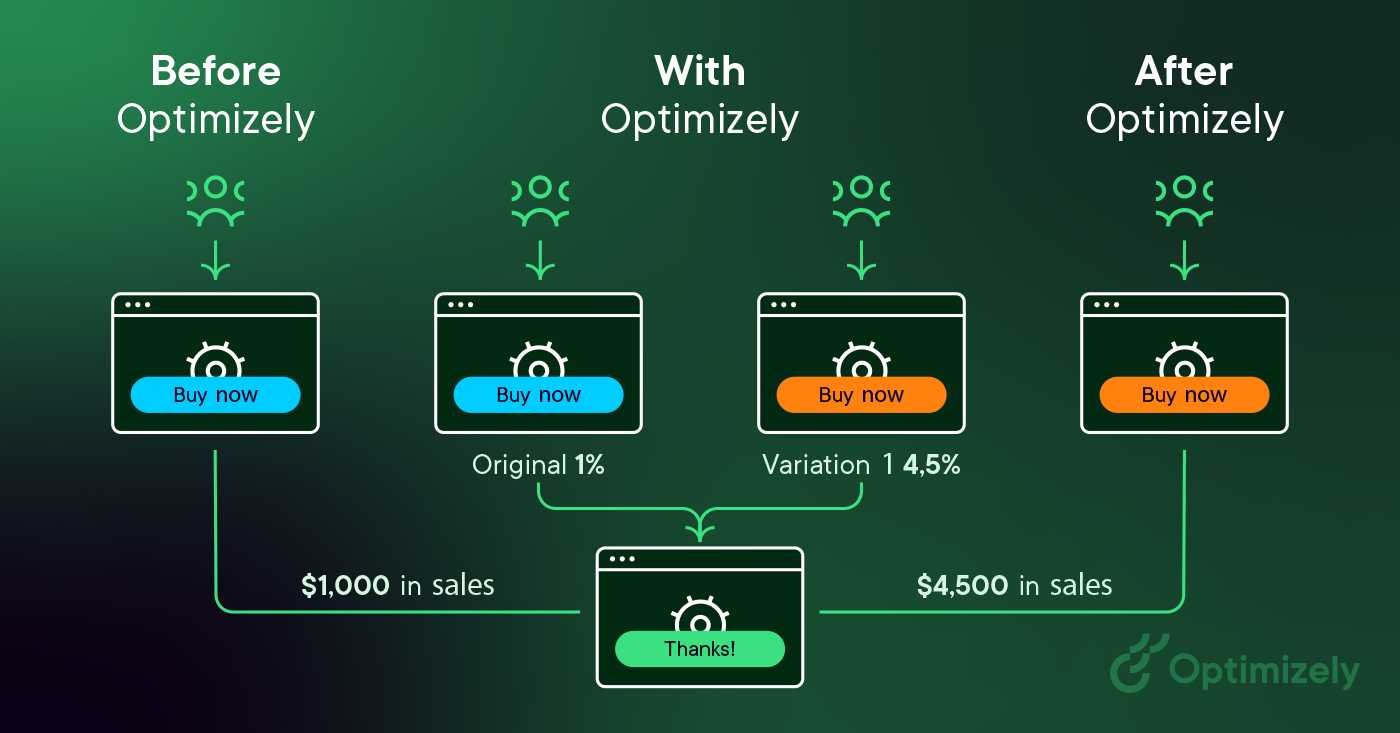
A/B testing is a powerful tool to boost signup conversions by tweaking different elements of your forms and measuring what works best. It allows you to make data-driven decisions rather than guessing which layout or wording will perform better. By systematically testing variations of your signup forms, you can identify the most effective version, leading to increased signups and better user engagement. This approach takes the guesswork out of optimization, helping you continuously improve your forms based on real user behavior. Whether you’re experimenting with button colors, form length, or messaging, A/B testing provides clear insights that can help optimize your signup process for maximum results.
Using A/B testing to optimize signup forms involves creating different versions of your form and analyzing user responses to find the best-performing elements. It’s a straightforward way to enhance user experience and increase conversion rates by making informed adjustments grounded in actual data. In this article, we’ll explore how to set up effective tests, what elements to focus on, and how to interpret results for continuous improvement.

Using A B testing to optimize signup forms
Understanding the importance of signup forms
Signup forms are the first step for users to engage with your website or service. They collect essential information and determine whether visitors become customers. Well-designed signup forms can significantly increase conversion rates and grow your audience. Optimizing these forms is crucial for website success.
What is A B testing and how does it work?
A B testing compares two versions of a webpage or form to see which performs better. You create a control version (A) and a variation (B). Then, you split your traffic between both versions. By measuring how users interact, you identify which version leads to more signups. This process helps you make data-driven improvements.
Why use A B testing for signup forms?
A B testing allows you to experiment without guessing. It provides clear evidence about what works and what doesn’t. By testing different elements, you can increase the number of users who complete the signup process. This approach reduces guesswork and focuses on what truly drives conversions.
Key elements to test in signup forms
Many elements influence a signup form’s effectiveness. Prioritize testing these components:
- Form layout and structure
- Field labels and instructions
- Number of fields required
- Call-to-action button design and text
- Color schemes and visual cues
- Placement of the form on the page
- Use of social proof or trust signals
Focusing on these areas helps identify what encourages more signups.
Designing effective A B tests for signup forms
Start with a clear hypothesis about what might improve the form. For example, you might believe reducing the number of fields increases completion rates. Create the variation based on this idea, ensuring changes are significant enough to measure. Always keep the testing controlled to avoid confounding factors.
Setting your testing goals
Define what success looks like before starting. Common goals include:
- Higher signup completion rate
- Increased click-through rate on the call-to-action
- Reduced bounce rate from landing pages
Clear goals guide the entire testing process and help analyze results effectively.
Choosing metrics to measure
Select metrics aligned with your goals. Key metrics include:
- Conversion rate: the percentage of visitors who sign up
- Time spent on the form page
- Drop-off points in the form
- Click-through rate on the CTA button
Tracking these provides insights into user behavior and form performance.
Tools that facilitate A B testing for signup forms
Various tools simplify the A B testing process. Some popular options are:
- Google Optimize: integrates with Google Analytics for easy testing
- Optimizely: offers advanced features and detailed reporting
- VWO (Visual Website Optimizer): provides visual editing and testing
- Unbounce: specializes in landing pages and signup forms testing
Choose the tool that fits your technical skills and budget.
Implementing A B tests step by step
Follow a systematic approach:
- Identify the element to test based on user behavior data
- Create a hypothesis and design the variation
- Set up the test in your chosen tool
- Split traffic evenly between control and variation
- Run the test for an adequate period, usually at least two weeks
- Analyze results focusing on the predefined metrics
- Implement successful changes and plan next tests
This structured process ensures reliable results and continuous improvement.
Common pitfalls to avoid in A B testing
Avoid these mistakes to maximize your testing success:
- Testing too many elements at once, making it hard to attribute results
- Running tests for too short a duration, risking inaccurate data
- Ignoring statistical significance, leading to false conclusions
- Changing other site elements during the test period
- Not documenting tests and results for future reference
Being aware of these pitfalls helps maintain the integrity of your testing process.
Interpreting A B test results effectively
Focus on statistical significance to confirm true differences in performance. Look beyond mere numeric improvements and evaluate user feedback or qualitative data. Remember that small gains can compound over time, making ongoing testing valuable.
Applying insights from tests to improve signup forms
Use test results to make informed updates to your form. For instance, if a shorter form yields more signups, consider removing unnecessary fields. Continually incorporate learnings into your design process for better conversion rates.
Continuous testing for ongoing optimization
Optimization is a continuous cycle. Regularly analyze your signup funnel, identify new test ideas, and keep experimenting. Over time, this approach creates a user experience that consistently encourages more signups and maximizes growth.
Consider exploring:
- Personalization techniques to enhance signup experiences
- Using analytics to identify drop-off points
- Best practices for mobile-friendly signup forms
- Integrating social media signups for higher conversions
These topics further support your goal of optimizing your signup process.
Using A B testing to optimize signup forms offers a data-driven way to improve user engagement and increase conversions. By systematically testing different elements, analyzing results, and applying insights, you can build forms that resonate more effectively with visitors. Remember, ongoing testing and iteration are key to maintaining a high-performing signup experience that fosters growth.
How to A/B split test pop-ups and embedded signup forms with MailerLite
Frequently Asked Questions
How can A/B testing help identify the most effective signup form design?
A/B testing allows you to compare two or more variations of your signup form by showing different versions to different visitors. By analyzing user interactions and conversion rates, you can determine which design elements, layouts, or wording resonate best with your audience. This process provides clear insights into what encourages more signups, enabling you to refine your forms to maximize performance.
What metrics should I focus on when conducting A/B tests on signup forms?
Focus on key metrics such as the conversion rate, which measures how many visitors complete the signup process. Additionally, monitor the bounce rate to see if visitors leave the form page prematurely. Tracking form abandonment rate and time spent on the form can also reveal areas where users hesitate or encounter difficulties, helping you make targeted improvements.
How often should I run A/B tests on my signup forms to maintain optimal performance?
Run A/B tests regularly, particularly after making significant changes or observing fluctuations in conversion rates. Conducting tests monthly or quarterly ensures you stay aligned with user preferences and market trends. Consistent testing helps you continuously identify opportunities to enhance your signup process and adapt to evolving visitor behaviors.
What are common mistakes to avoid during A/B testing of signup forms?
Avoid making multiple changes simultaneously; this makes it difficult to identify which change impacts performance. Ensure your sample size is large enough to generate statistically meaningful results, and give tests enough time to gather sufficient data. Also, do not ignore qualitative feedback from users, as it can provide valuable context that numbers alone cannot reveal.
How can I implement A/B testing without disrupting the user experience?
Introduce variations gradually and run tests in a controlled environment to prevent overwhelming visitors. Use simple, clear changes that do not confuse users or slow down the signup process. Communicate transparently with your team to monitor the test, and ensure that the user experience remains smooth regardless of the variation they see.
Final Thoughts
Using A B testing to optimize signup forms helps identify what appeals most to visitors. It allows you to compare different designs, headlines, and calls to action efficiently. By analyzing user responses, you can make informed improvements that boost conversions. Ultimately, this process leads to more effective signup forms and better user engagement.