
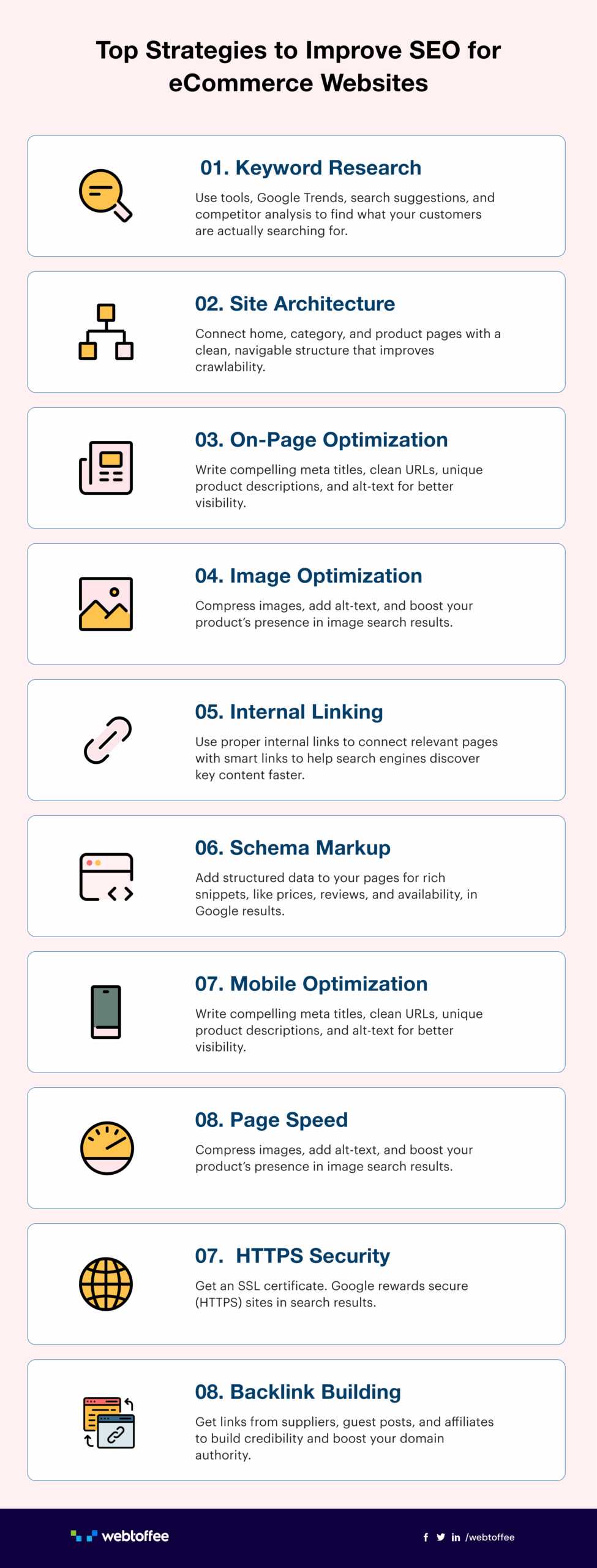
To effectively review your image optimization and alt text usage, start by analyzing your website’s images for faster load times and better SEO. Check if your images are appropriately compressed without losing quality and ensure each image has descriptive alt text that accurately reflects its content. Regular audits help identify missed opportunities for optimization and improve accessibility.
**To review image optimization and alt text, assess image file sizes and formats for efficiency, and ensure all images have relevant, keyword-rich alt text. Use tools like SEO audits or browser extensions to identify issues and track improvements over time.**
Optimizing images and using meaningful alt text are crucial for both user experience and search engine rankings. Many website owners overlook these small details, which can significantly impact page load speed and accessibility for visitors relying on screen readers. Conducting regular reviews of your images helps you catch problems early, ensuring your site remains fast and inclusive. Whether you’re updating existing images or adding new ones, a systematic approach guarantees your visuals are serving their full potential. This article will guide you through practical steps to evaluate and enhance your image optimization and alt text practices, ensuring your website is both user-friendly and SEO-smart.

How to Review Image Optimization and Alt Text Usage
Understanding the Importance of Image Optimization
Optimizing images on your website helps pages load faster, which improves user experience and SEO ranking. Properly optimized images also reduce bandwidth use and increase accessibility for all visitors. When images are not optimized, they can slow down your website and negatively impact your search engine visibility.
Key Elements of Image Optimization
Effective image optimization involves several factors. These include choosing the right file format, resizing images to fit your layout, compressing images to reduce file size, and using descriptive file names. Additionally, using appropriate image dimensions and avoiding unnecessary images can make your website more efficient.
Selecting the Correct File Format
Different image formats serve different purposes. JPEG is ideal for photographs because of its rich color detail. PNG is better for images that require transparency or sharp edges. WebP provides high quality with smaller file sizes and is increasingly supported across browsers.
Resizing and Compressing Images
Resize images to match the display size needed on your webpage. Avoid uploading large images and relying on HTML or CSS to resize them. Use tools like TinyPNG or ImageOptim to compress images without sacrificing quality significantly. This reduces load times and enhances user experience.
Using Descriptive File Names
File names should clearly describe the image content. Instead of “IMG12345.jpg,” use descriptive names like “blue-running-shoes.jpg.” This practice helps search engines understand what the image depicts, supporting better SEO.
Evaluating and Improving Alt Text Usage
Alt text provides a text alternative for images, enhancing accessibility for users with visual impairments. Properly written alt text also helps search engines understand your images, boosting your SEO efforts. Effective alt text should be specific, descriptive, and concise.
Best Practices for Writing Alt Text
Write alt text that accurately describes the image’s function and content. Avoid stuffing keywords or using generic phrases like “image” or “photo.” Instead, focus on what the image represents in context.
Examples of Good Alt Text
- “A young girl riding a bicycle in the park”
- “Chart showing quarterly sales growth”
- “Close-up of a ripe red apple on a tree”
These descriptions give users and search engines clear information about the images.
Tools and Techniques for Reviewing Image Optimization and Alt Text
Regular audits ensure your images remain optimized. There are various tools and techniques to check image size, format, and alt text usage.
Using Browser Extensions and Online Tools
Extensions like Lighthouse (built into Chrome DevTools) analyze your website’s performance, including images. Online tools such as GTmetrix and Pingdom provide insights into image load times. These tools highlight images that need compression or relabeling.
Manual Review and Audit
Go through your website manually and inspect images. Check if images are appropriately sized and compressed. Verify that every image has relevant and descriptive alt text. This process helps identify issues automated tools might overlook.
Best Practices for Maintaining Good Image and Alt Text Optimization
Maintaining an ongoing process ensures continued SEO and accessibility benefits.
Regular Content Updates
Update images with optimized versions when adding new content. Review old images periodically to ensure they follow best practices. Keep your image library organized for easier management.
Documentation and Guidelines
Create internal guidelines for image naming, optimization, and alt text. Train content creators on the importance of these practices. Consistent standards improve overall site quality.
Impact of Proper Image Optimization and Alt Text on SEO Performance
Well-optimized images and thoughtful alt text boost your website’s ranking. Search engines crawl images, and relevant alt text helps index your page better. Faster load times also contribute to higher rankings and improved user engagement.
Enhancing Accessibility and User Experience
Proper alt text supports visually impaired users by describing images accurately. Optimized images contribute to a smoother browsing experience for all users. This inclusive approach can lead to increased traffic and better user satisfaction.
Measuring the Effectiveness of Your Image Optimization
Use analytics tools to monitor how images affect page load time, bounce rate, and conversions. Track improvements after optimization efforts to assess their impact and guide future actions.
Reviewing image optimization and alt text usage is an ongoing process that significantly benefits your website. By focusing on proper formats, sizing, compression, and descriptive alt text, you ensure your site is fast, accessible, and optimized for search engines. Regular audits and adherence to best practices make it easier to maintain high-quality images that support your overall SEO and accessibility goals.
Optimize your Website Images with ALT Text
Frequently Asked Questions
What tools can help evaluate if images are properly optimized for web use?
Tools like Google PageSpeed Insights, GTmetrix, and WebPageTest can analyze your website’s performance and identify images that may need compression or resizing. They also provide insights into how images impact page load times and suggest improvements for optimization.
How can I verify if alt text effectively describes images for accessibility?
Review each image’s alt text to ensure it clearly and accurately describes the content for users relying on screen readers. You can use accessibility testing tools like WAVE or Axe to evaluate how well your alt text provides context and enhances user experience for individuals with visual impairments.
What is the best way to identify images that lack alt text or have inappropriate descriptions?
Perform a manual review of your website’s images or use SEO and accessibility audit tools to detect images missing alt attributes or with generic or irrelevant descriptions. Fix these issues by adding descriptive alt text that accurately conveys the image’s purpose and message.
How often should I review my website’s images for optimization and proper alt text usage?
Regularly review your images whenever you update your website content or add new visuals, ideally at least quarterly. This ensures that all images remain optimized for speed and accessible for all users, maintaining overall website quality and search engine performance.
What is a practical way to test how images and alt texts perform across different devices?
Use responsive testing tools like BrowserStack or Sauce Labs to preview your website on various devices and screen sizes. Check if images load correctly and alt texts are properly read by screen readers on each device, making adjustments as needed to improve consistency and accessibility.
Final Thoughts
Reviewing image optimization and alt text usage is essential for enhancing website performance and accessibility. Check if images are compressed without losing quality to ensure fast load times. Verify that alt texts are descriptive and relevant, aiding both users and search engines.
Regularly audit your images to identify outdated or unnecessary ones, improving overall site efficiency. Focus on these aspects to provide a better user experience and boost SEO.
How to review image optimization and alt text usage helps maintain a site that is both accessible and efficient, ensuring your content reaches and resonates with a wider audience.
Recommended SEO


