
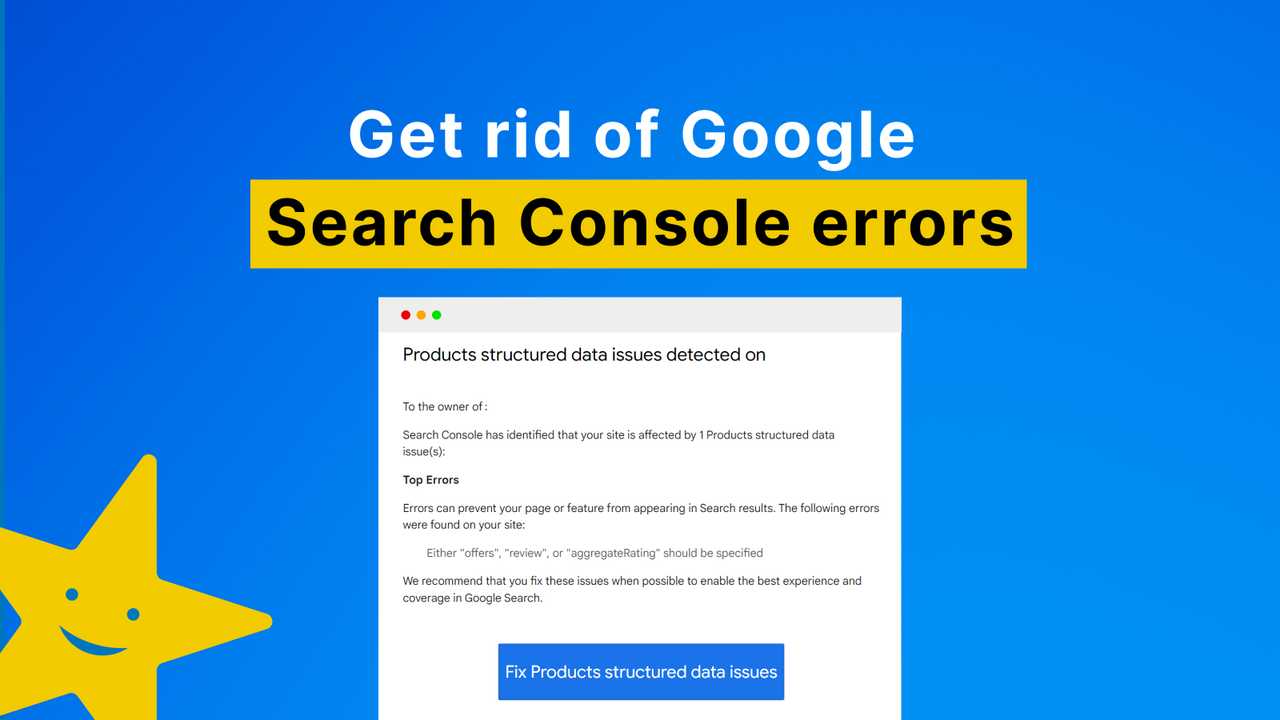
Quick fix: Use Google’s Rich Results Test to identify errors, then update your schema markup code accordingly, ensuring it follows the correct syntax and structure. Validate your changes with Google’s tool again to confirm the issues are resolved.
Struggling with schema markup errors? They can be tricky and affect your site’s search visibility, but fixing them is easier than you think. The key is to identify the exact issues using diagnostic tools like Google’s Rich Results Test, then correct your schema code to meet Google’s guidelines. Properly implemented schema markup helps search engines understand your content better, improving your chances of appearing in rich snippets and enhancing your SEO. Whether you’re new to schema markup or trying to troubleshoot existing errors, this guide will walk you through simple steps to clean up your code and boost your site’s performance.
When it comes to optimizing your website for search engines, schema markup is a powerful tool that can give you an edge. However, errors often pop up, preventing your rich snippets from displaying correctly. The good news is that fixing these errors doesn’t require advanced coding skills. Start by testing your pages with Google’s Rich Results Test to pinpoint the issues. Once you know what’s wrong, review and update your schema markup to ensure it follows the correct syntax and standards. After making the necessary corrections, run the test again to verify the fixes. This proactive approach will help your site communicate more clearly with search engines, leading to better visibility and more traffic.

How to fix schema markup errors on your site
Understanding schema markup and its importance
Schema markup is a type of code that helps search engines better understand your website’s content. It provides context to your pages, making it easier for search engines to display rich snippets. When your schema markup is correct, it can improve your site’s visibility and click-through rates. Conversely, errors can prevent your content from appearing as intended in search results.
Common schema markup errors you might encounter
There are several frequent issues that cause schema errors. These include missing required properties, incorrect data types, and invalid syntax. Other common problems involve duplicate items or misused schema types. Identifying these errors helps you know where to focus your fixes.
How to identify schema markup errors
You can find schema errors using tools like Google’s Rich Results Test or the Schema Markup Validator. Simply enter your webpage URL or code snippet into these tools. They will highlight errors and warnings, giving detailed information about what needs fixing and where.
Steps to fix schema markup errors
Fixing schema errors involves several steps. First, review the error messages provided by testing tools. Next, locate the problematic code within your website’s HTML or JSON-LD scripts. Then, modify the code to correct errors, ensuring it matches schema.org standards.
Using structured data testing tools effectively
Google’s Rich Results Test offers a quick way to verify your schema markup. Run your page through this tool regularly, especially after updates. Pay close attention to warnings and errors, and address them accordingly to maintain accurate markup.
Common fixes for schema markup errors
- Missing required properties: Add missing fields like name, image, or url based on schema.org guidelines.
- Incorrect data types: Ensure properties are using the proper data types such as strings, numbers, or dates.
- Invalid syntax: Validate your code with JSON-LD syntax checkers to ensure proper formatting.
- Duplicate items: Remove repeated schema blocks to prevent confusion and errors.
Validating your schema markup after making fixes
After adjustments, re-run your code through the testing tools. Confirm that all errors are resolved and that your structured data appears as expected. Regular validation ensures ongoing accuracy and optimal search engine display.
Best practices to avoid schema errors in future updates
Implement a checklist for schema markup before publishing or updating content. Use automated tools to scan your site regularly for errors. Keep your schema information current, especially for dynamic content like reviews or events.
Tools and plugins to simplify fixing schema errors
Plugins like Yoast SEO or Rank Math often include schema markup features that can detect and fix errors automatically. For WordPress sites, these tools minimize manual coding. Consider integrating schema validation tools into your workflow for ongoing compliance.
How to correct common schema types
Different types of schema require specific properties. For example, local business schema should include address, phone number, and opening hours. Review schema.org documentation for each type to ensure completeness and accuracy. Proper type-specific markup helps search engines understand your data better.
Improving schema markup for local SEO
Local SEO benefits greatly from accurate local business schema. Make sure your business name, address, and phone number are correct and consistent across your website. Add additional details like geographical coordinates or service areas to enhance local visibility.
Tracking schema markup health over time
Regularly check your site’s structured data health using validation tools. Keep records of error reports and fixes to identify patterns. Staying proactive prevents small issues from becoming larger SEO problems later.
Fixing schema markup errors is a vital step in ensuring your website is easily understood by search engines. By thoroughly testing, correcting mistakes, and maintaining your structured data, you can improve your site’s visibility and performance in search results. Regular updates and validation will help keep your schema markup error-free and ready to deliver rich snippets that attract clicks and boost traffic.
How to Fix Schema Markup Issues & Drive More Traffic?
Frequently Asked Questions
What are common causes of schema markup errors on websites?
Schema markup errors often occur due to incorrect implementation of the code, missing required properties, or using outdated markup types. Other common causes include typographical mistakes, improper nesting of elements, and incompatible plugin or CMS configurations. Ensuring that your schema follows current guidelines and validating your code regularly can help prevent these issues.
How can I verify if my schema markup is correctly implemented?
Use Google’s Rich Results Test to check your schema markup. This tool analyzes your webpage and highlights any errors or warnings. Additionally, the Schema Markup Validator provides a detailed view of your structured data. Review these reports carefully to identify issues, and compare your code against official schema.org documentation to ensure compliance with current standards.
What steps should I take to fix identified schema errors effectively?
Start by locating the exact errors reported in validation tools. Correct the syntax issues, ensure all required properties are present, and update outdated types. After making changes, re-validate your code to confirm fixes. It’s also helpful to use structured data testing tools to preview how search engines might interpret your schema, and to consult relevant documentation for clarification on proper implementation.
How can I maintain error-free schema markup over time?
Regularly validate your structured data after website updates or content changes. Keep abreast of updates to schema.org standards and Google’s guidelines. Use automated tools or plugins that check schema errors periodically. Document your implementation process and set up routines to review and update your markup, ensuring your website maintains high-quality structured data that aligns with search engine requirements.
Are there tools or plugins that simplify fixing schema markup errors?
Yes, several tools and plugins can help manage schema markup. For example, Yoast SEO and Rank Math include features that assist with structured data setup and validation. Google’s Tag Manager and Schema App also offer options for managing structured data more efficiently. These tools often provide real-time feedback and suggestions for fixing errors, making it easier to maintain clean schema markup throughout your website.
Final Thoughts
Fixing schema markup errors on your site involves validating your code with tools like Google Rich Results Test. Address any reported issues by reviewing structured data guidelines and updating your markup accordingly. Regularly checking your schema ensures errors don’t accumulate, which can impact search visibility. Remember, clear and accurate schema markup enhances your website’s SEO and user experience. By following these steps, you’ll ensure your schema markup errors on your site are resolved effectively.





