
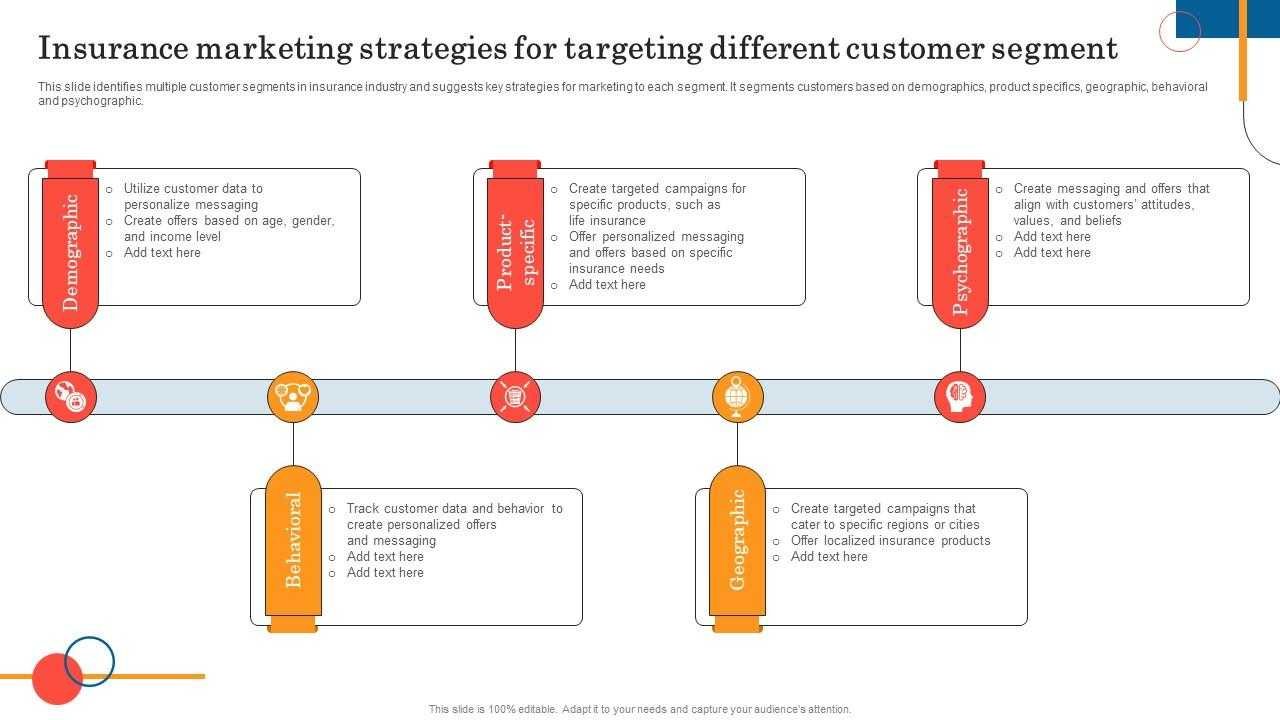
To boost your regional visibility, the key is to master geo-targeting in your marketing campaigns. Start by pinpointing your ideal locations using tools like Google Ads or Facebook Ads Manager, then refine your settings to focus your ads specifically on those areas. Adjust your campaign parameters to reach local audiences, and regularly analyze your data to optimize your targeting strategies. Implementing precise geo-targeting ensures your message resonates with the right people at the right time, leading to higher engagement and better local brand recognition.
Geo-targeting allows businesses to focus their advertising efforts on specific geographic areas, making campaigns more relevant and cost-effective. By carefully selecting locations and continually refining your approach based on performance data, you can significantly enhance your regional visibility and attract more nearby customers. This targeted approach minimizes wasted ad spend and maximizes your chances of connecting with your local audience effectively.
If you want your business to stand out in a particular region, setting up effective geo-targeting is essential. It’s about reaching the right people in the right place with the right message. Start by defining your target locations precisely, using advanced tools to narrow down your audience. Incorporate these settings into your ad campaigns, and keep a close eye on the results to tweak your approach as needed. With strategic geo-targeting, you’ll see better regional engagement, increased foot traffic, and ultimately, more local success.

How to set geo targeting for better regional visibility
Understanding the importance of geo targeting
Geo targeting helps businesses reach specific audiences based on their physical location. It makes your marketing efforts more relevant and increases the chances of engagement. Proper geo targeting ensures your ads and content appear in front of the right people in the right regions.
How does geo targeting work?
Geo targeting works by identifying the geographic location of a user through IP addresses, GPS data, Wi-Fi signals, or device information. It then shows content or ads tailored to that user’s location. This technique saves advertising budget and improves conversion rates.
Types of geo targeting options
There are different methods to target regions effectively:
- Country targeting: Focuses on entire nations.
- Regional targeting: Targets specific states or provinces.
- City targeting: Focuses on particular cities or urban areas.
- Radius targeting: Defines a radius around a specific point, such as a business location.
- Zip code targeting: Targets users within specific postal codes.
Why regional visibility matters
Focusing on regional visibility helps local businesses attract nearby customers. It also prevents advertising waste by avoiding regions where your services are not available. Enhanced regional visibility boosts brand awareness and sales in your target markets.
Setting up geo targeting on different platforms
Platforms like Google Ads, Facebook, and Bing offer geo targeting options. Each platform has a straightforward setup process, but understanding their unique features can maximize your results.
Google Ads geo targeting setup
To set geo targeting in Google Ads:
- Log into your Google Ads account.
- Choose the campaign you want to modify.
- Click on “Settings,” then “Locations.”
- Enter specific locations such as cities, regions, or zip codes.
- Use the “Location options” to refine targeting, such as “People in my targeted locations” or “People, or who show interest in, your targeted locations.”
- Save your settings to activate geo targeting.
Setting geo targeting on Facebook Ads
Steps include:
- Navigate to Facebook Ads Manager.
- Create a new ad set or edit an existing one.
- Select “Locations” under the audience section.
- Input the regions or specific locations you want to target.
- Choose from options like “People living in this location” or “People recently in this location.”
- Adjust the radius or density as needed for fine-tuned targeting.
Best practices for effective geo targeting
Implementing best practices enhances your regional visibility. Here are key tips:
- Define clear target regions: Focus on areas where your ideal customers are located.
- Use radius targeting strategically: Narrow down to a manageable distance for local campaigns.
- Exclude irrelevant regions: Avoid wasting budget on areas outside your service zone.
- Combine with demographic data: Use age, gender, and interests alongside geo targeting.
- Monitor and adjust settings regularly: Track performance and refine targeting as needed.
Tools to assist with geo targeting
Several tools can simplify the process:
| Tool | Features | Best for |
|---|---|---|
| Google Ads Location Targeting | Precise geo targeting, radius, and location options | Online advertising campaigns |
| Facebook Audience Insights | Demographic and location data analysis | Audience research and ad targeting |
| SEMrush Local SEO Tool | Local listing management and geo-specific keyword research | Improving local search visibility |
Tracking and measuring regional campaign performance
To evaluate the success of geo targeted efforts:
- Use analytics tools like Google Analytics to review regional traffic and conversions.
- Set up location-based reports to see which areas perform best.
- Monitor click-through rates and engagement metrics for different regions.
- Adjust your strategy based on data insights to optimize regional reach.
Common mistakes to avoid when setting geo targeting
Avoiding these mistakes boosts your campaign efficiency:
- Overly broad targeting: Target too large an area, reducing relevance.
- Ignoring negative targeting: Exclude regions where your service isn’t available.
- Neglecting mobile users: Ensure mobile-specific targeting settings are optimized.
- Not updating settings regularly: Keep your target regions current based on performance data.
Enhancing regional visibility with local SEO strategies
Geo targeting is complemented by local SEO to improve organic visibility:
- Optimize your Google My Business listing with accurate info.
- Use location-specific keywords in website content.
- Gather local reviews and testimonials.
- Create local content that appeals to regional audiences.
Integrating geo targeting with overall marketing strategies
Geo targeting should work alongside other marketing channels:
- Coordinate online and offline advertising efforts.
- Align social media campaigns with regional events or seasons.
- Use email marketing to send location-specific offers.
- Partner with local influencers or community events to boost visibility.
Focusing on the right regions through effective geo targeting increases your reach and improves your marketing ROI. Proper setup, continuous monitoring, and strategic adjustments enable your business to connect with the right local audiences. Incorporate these practices to grow your presence in key regional markets and attract more customers.
The RIGHT Way To Do Facebook Targeting For Local Businesses
Frequently Asked Questions
What are the best practices for selecting specific regions for targeted advertising?
Choosing regions based on your audience data helps improve your ad relevance. Analyze customer locations, sales reports, and website traffic to identify areas with the highest engagement. Focus your advertising efforts on these regions by setting precise geographic parameters to maximize visibility where it matters most.
How can I combine multiple location parameters to improve regional targeting?
Use a combination of city, ZIP code, and radius targeting to refine your reach. For example, target specific neighborhoods within a broader city or focus on a 10-mile radius around your store. This layered approach ensures you connect with the most relevant audiences and avoid wasting ad spend on less interested areas.
What tools or features should I use to refine my geographic targeting settings?
Leverage the platform’s advanced targeting options, such as location layers, exclusion zones, and demographic filters. These features enable you to specify or exclude certain areas, set up radius targets, and tailor your audience based on other criteria like age or interests, increasing the precision of your regional visibility.
How do I regularly update my geographic targeting to adapt to changing market conditions?
Monitor your campaign performance and local trends continuously. Adjust your targeting parameters based on data insights, such as changes in customer locations or new market opportunities. Regular updates ensure your campaigns stay relevant and effective in reaching your desired regional audience.
What are common mistakes to avoid when setting up regional targeting?
Avoid using overly broad geographic areas that dilute your message. Failing to exclude irrelevant locations can waste budget on uninterested audiences. Additionally, neglecting to analyze performance data or update your settings regularly may lead to decreased effectiveness over time. Focus on precise, data-driven adjustments to maintain optimal visibility.
Final Thoughts
To set geo targeting for better regional visibility, identify your key markets and select the most relevant locations. Use precise geographic filters provided by advertising platforms to focus your ads effectively. Regularly analyze your regional performance data to refine your targeting settings. Prioritize areas with high engagement to maximize your reach and results. Ensuring accurate geo targeting helps your business connect with the right audience and boost regional visibility efficiently.
Recommended SEO


