
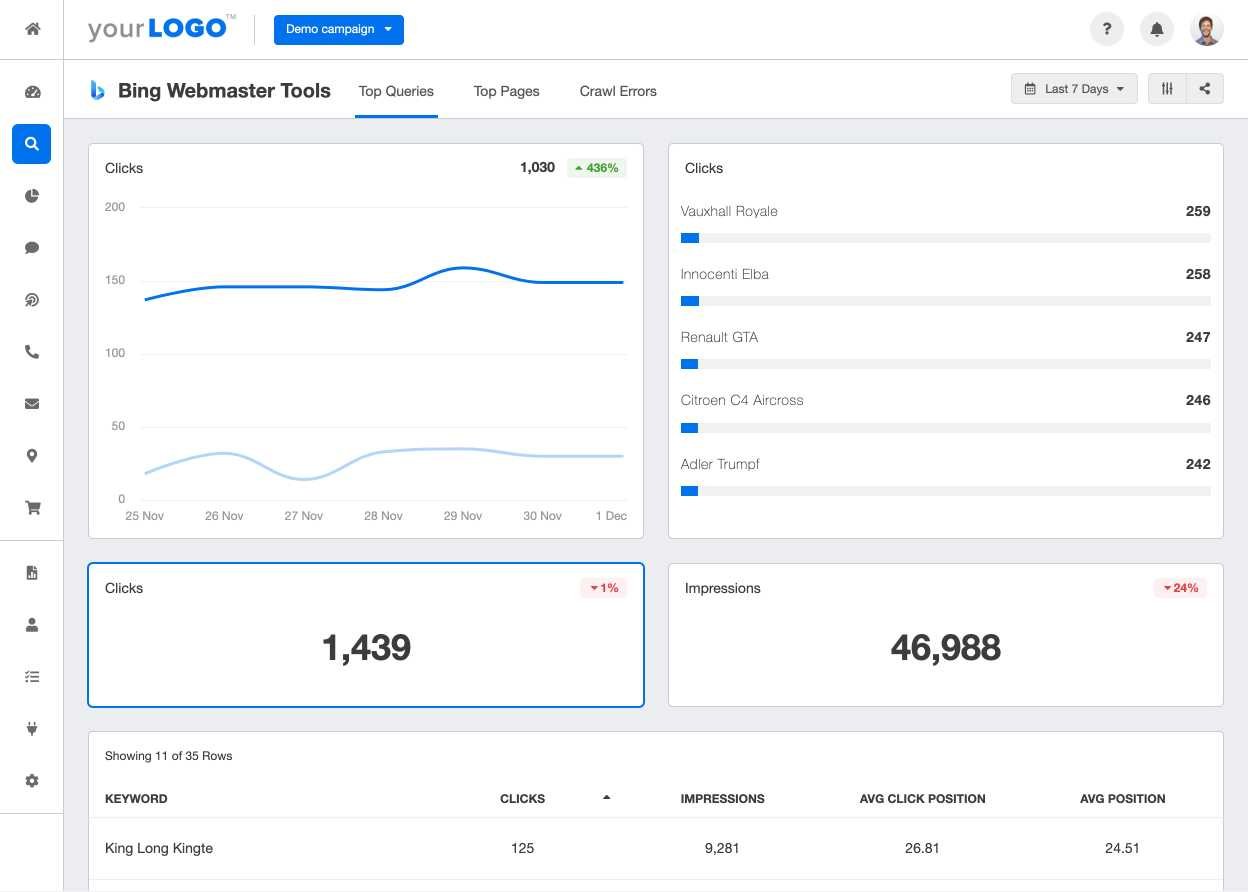
To seamlessly connect Bing Webmaster Tools with your other analytics platforms, start by verifying your site in Bing, then link your Bing account to your preferred analytics tools like Google Analytics or Adobe Analytics through their integration settings. This allows you to combine Bing’s search insights with your existing data, giving a comprehensive view of your website’s performance and visitor behavior.
Connecting Bing Webmaster Tools with other analytics is straightforward and boosts your understanding of your website’s traffic sources and user interactions. First, verify your site in Bing to unlock essential search data. Then, use available API integrations or manual data export/import options to synchronize Bing data with your analytics platforms, enabling you to analyze search performance alongside overall site metrics for more informed SEO strategies.

How to integrate Bing Webmaster Tools with other analytics
Understanding the importance of integrating Bing Webmaster Tools with other analytics
Integrating Bing Webmaster Tools with other analytics platforms offers a comprehensive picture of your website’s performance. It helps you identify how visitors find your site and what keywords they use. Combining data from multiple sources allows you to make smarter decisions to improve your online presence.
Key benefits of integrating Bing Webmaster Tools with analytics platforms
Integrating Bing Webmaster Tools brings many advantages. It provides detailed search performance reports directly from Bing. It also allows you to see keyword rankings, click-through rates, and impressions in one place. This integration enables better understanding and optimization of your SEO efforts.
Preparing your website for integration
Before integrating tools, ensure your website is properly set up. Verify your site in Bing Webmaster Tools to access all features. Make sure your site map is submitted to Bing, and your site’s robots.txt file allows crawling. Proper setup avoids issues during data collection.
Connecting Bing Webmaster Tools with Google Analytics
To link Bing Webmaster Tools with Google Analytics, start by accessing your Google Analytics account. Then, create UTM parameters for your campaigns to track traffic sources. In Bing Webmaster Tools, add these UTM parameters to your URLs, enabling tracking of Bing traffic in Google Analytics reports.
Adding UTM parameters to URLs
Use a URL builder to create UTM parameters. Include source as “bing”, medium as “search”, and campaign name or content for better organization. Append these parameters to your backlinks or advertisements, ensuring traffic from Bing is tracked accurately.
Importing Bing data into Google Analytics
In Google Analytics, navigate to Acquisition reports. Filter traffic by source or medium to view data from Bing. This allows you to analyze how Bing visitors behave, which keywords perform best, and how they convert.
Linking Bing Webmaster Tools with Microsoft Clarity
Microsoft Clarity offers visual heatmaps and session recordings. To connect Bing Webmaster Tools with Clarity, integrate Clarity’s tracking code into your website. Then, use insights from Clarity to improve site usability for Bing and other search visitors.
Implementing Clarity tracking code
Add the Clarity tracking script into your website’s header or footer. Confirm the script works by checking Clarity’s dashboard for real-time data. Once active, Clarity will record visitor interactions, offering valuable insights.
Using Clarity insights for SEO improvements
Review heatmaps and session recordings to identify user experience issues. Improve navigation based on visitor behavior. Enhanced usability can increase engagement, which positively affects your search ranking.
Utilizing Bing Webmaster Tools API with other analytics data
The Bing Webmaster Tools API allows you to extract detailed data programmatically. Integrate this data with your existing analytics setup for custom reports and real-time monitoring.
Accessing the Bing Webmaster API
Register for API access through your Bing Webmaster Tools account. Generate an API key, then use it to fetch data such as search queries, crawl errors, and backlinks. APIs provide flexibility for custom dashboards.
Creating custom dashboards
Combine Bing search data with Google Data Studio or Tableau dashboards. Visualize trends like keyword performance, indexing issues, and backlinks alongside other metrics for a complete view.
Using third-party tools for integration
Many tools simplify the process of syncing Bing Webmaster data with other analytics platforms. Examples include SEMrush, Ahrefs, and Moz. These tools often offer direct integration features or data export options.
Advantages of third-party tools
They save time by automating data collection and reporting. They also offer additional features like competitor analysis, backlink audits, and keyword tracking. This helps you leverage Bing data more effectively.
Steps for integrating with third-party tools
Connect your Bing Webmaster account within the tool’s settings. Authorize access and select the data you want to import. Set up automated schedules for data synchronization and reporting.
Monitoring and analyzing integrated data
Regularly review combined analytics to identify patterns and opportunities. Use dashboards to track keyword rankings, click-through rates, and user engagement combined from Bing and other sources.
Best practices for analysis
Focus on high-performing keywords and pages. Monitor crawl errors and resolve issues promptly. Compare Bing data with other platforms like Google Analytics to uncover gaps and improvement areas.
Adjusting your SEO strategy based on insights
Use your integrated data to refine your keyword targeting, optimize content, and improve site structure. Continuous adjustment based on analytics leads to better visibility and higher traffic.
Overcoming common challenges in integration
Integrating multiple analytics tools can pose challenges. Common issues include data discrepancies, API limitations, and technical complexities. Address these by staying updated on platform changes and maintaining clean data sources.
Dealing with data discrepancies
Compare data from different sources carefully. Understand that search volume and click data may vary between tools. Use consistent metrics and timestamps for accurate comparison.
Addressing technical issues
Ensure APIs are correctly configured and permissions are granted. Regularly update tracking codes and scripts to avoid compatibility problems. Seek expert advice if technical hurdles arise.
By combining Bing Webmaster Tools with other analytics platforms, you gain a multi-faceted view of your website’s health and performance. Proper setup and continuous analysis help you optimize your site, improve search visibility, and ultimately attract more visitors. Maintaining this integration ensures you stay informed about your SEO progress and adapt strategies effectively.
Bing Webmaster Tools Now Includes Microsoft Clarity Integration
Frequently Asked Questions
What steps should I follow to connect Bing Webmaster Tools with Google Analytics?
To connect Bing Webmaster Tools with Google Analytics, first ensure you have access to both accounts. In Bing Webmaster Tools, navigate to the ‘Configure My Site’ section and select ‘Sitemaps.’ Submit your sitemap if you haven’t already. Then, in Google Analytics, find your tracking ID and ensure it’s correctly implemented on your website. Use the ‘Linked Accounts’ feature in Google Analytics to add Bing Webmaster Tools data via third-party connectors or APIs if available. Finally, verify the connection by checking if data from Bing Webmaster Tools appears in Google Analytics under the appropriate reports or custom dashboards.
Can I import backlink data from Bing Webmaster Tools into other analytics platforms?
Yes, you can integrate backlink data from Bing Webmaster Tools into other analytics platforms by exporting the data manually or using third-party tools. Bing Webmaster Tools allows you to download backlink reports in formats like CSV or Excel. You can then upload these reports into your preferred analytics platform or use data integration tools such as Google Data Studio or Tableau to visualize and analyze the backlink profiles alongside other website metrics. Setting up automated data pipelines with APIs or connectors can further streamline this process.
How do I ensure data consistency when combining Bing Webmaster Tools with other analytics sources?
To maintain consistency across multiple analytics sources, establish standard measurement criteria and tracking configurations. Use the same date ranges for analysis and verify that URL structures and tracking parameters align. Regularly audit your data imports and exports to identify discrepancies. Utilizing a centralized dashboard or data warehouse can help cross-reference data and ensure that insights derived from Bing Webmaster Tools match those from other analytics platforms. Proper tagging and consistent setup prevent conflicting data and improve accuracy.
What tools or plugins can facilitate integrating Bing Webmaster Tools with popular analytics services?
Several tools and plugins can aid integration between Bing Webmaster Tools and analytics services like Google Analytics or third-party platforms. For example, third-party connectors, such as Supermetrics or Data Studio connectors, enable seamless data transfer. Some SEO tools offer built-in integrations or dashboards that pull data from Bing Webmaster Tools directly. Additionally, APIs provided by Bing Webmaster Tools allow custom scripts or applications to fetch and merge data into your analytics workflows. These options help automate reporting and improve data accuracy.
Are there any best practices for analyzing combined data from Bing Webmaster Tools and other analytics platforms?
Yes, start by defining clear objectives for your combined analysis, such as tracking traffic sources or monitoring backlink quality. Use consistent metrics and date ranges across platforms to compare results accurately. Incorporate visualizations like charts and dashboards to identify trends or anomalies easily. Regularly review and clean your data to eliminate inaccuracies or duplicate entries. Combine qualitative insights with quantitative data, and consider segmenting your analysis by different traffic channels or content types for a comprehensive view. This approach helps make well-informed decisions based on your integrated data sources.
Final Thoughts
Integrating Bing Webmaster Tools with other analytics enhances your website insights. Connect Bing data to platforms like Google Analytics using API access or data export options. This integration provides comprehensive search performance and user behavior data.
By combining these tools, you gain a clearer understanding of your SEO efforts and user engagement. Knowing how to integrate Bing Webmaster Tools with other analytics allows for better data-driven decisions. Ultimately, this approach optimizes your website’s overall performance efficiently.





