

Email marketing is way easier when you send the right emails to the right people. Segment exclusion means not sending emails to people who don’t need them. This keeps your list happy, your emails effective, and your results awesome!
Hey there! Jack here, your buddy from LTDWave. Ever feel like you’re talking to a wall with your emails? Or maybe you’re sending out emails and thinking, “Are these even going to the right people?” It’s a common feeling, especially when you’re just starting out with email marketing. It can feel a bit like juggling a lot of balls at once, right?
But what if I told you there’s a simple trick to make your emails hit the bullseye every single time? It’s called “segment exclusion,” and it’s not as fancy as it sounds. Think of it like this: you wouldn’t invite someone to a dog show if they only owned cats, would you? We’re just making sure our emails are super relevant.
In this guide, we’ll break down exactly what segment exclusion is and how you can use it to make your email marketing shine. We’ll go step-by-step, so you’ll feel totally confident by the end. Ready to make your emails work smarter, not harder?
What is Segment Exclusion in Email Marketing?
Imagine your email list is like a big party. You have different groups of friends there: some who love dancing, some who love chatting, and some who just came for the snacks. Segment exclusion is like making sure the person in charge of the music only plays tunes for the dancers, or the one handing out snacks doesn’t offer them to someone who just ate.
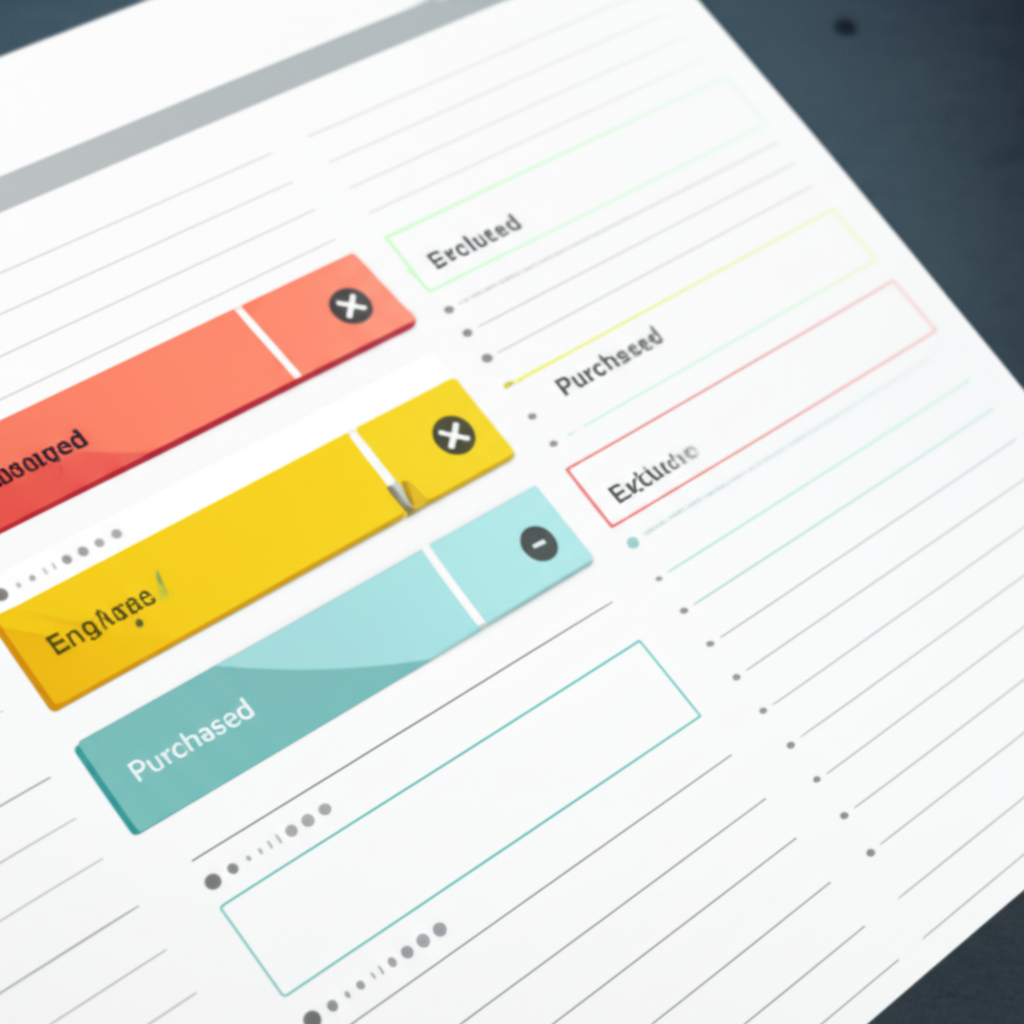
In email marketing, we do the same thing! We group our subscribers into “segments” based on what they like or how they act. Segment exclusion is simply telling your email system, “Hey, please don’t send this particular email to this specific group of people.”
Why bother? Because it makes your emails way more helpful and less annoying for everyone. It’s all about being a good digital friend!
Why is Segment Exclusion So Important? (The Awesome Benefits!)
Using segment exclusion isn’t just a nice-to-have; it’s a game-changer. It helps you avoid sending the wrong messages to the wrong people, which can save you a lot of headaches and boost your results.
Keeps Your Subscribers Happy
Nobody likes getting emails that don’t apply to them. When you exclude people who aren’t interested, you’re showing them respect. This means fewer people will unsubscribe or mark your emails as spam.
Boosts Your Email Performance
When you send emails only to people who are likely to be interested, they’re more likely to open them, click on links, and engage. This makes your open rates and click-through rates look fantastic!
Saves You Time and Money
Sending emails to fewer people often costs less with many email marketing services. Plus, you spend less time cleaning up lists or dealing with complaints.
Builds Stronger Relationships
When people consistently get emails that matter to them, they start to trust you more. They see you as someone who understands their needs and preferences.
Improves Your Sender Reputation
Email providers (like Gmail and Outlook) watch how people interact with your emails. If your emails are always relevant and people engage with them, your sender reputation stays high, meaning more of your emails land in the inbox, not the spam folder.
Common Scenarios Where You’ll Want to Use Segment Exclusion
Let’s look at some real-life examples. You’ll see how easy it is to spot these opportunities!
Scenario 1: A “Thank You” Email After a Purchase
You just sold a cool new product! You send out a “Thank You for Your Purchase!” email. But wait, you don’t want to send this same “thank you” email to someone who already bought it, right?
Action: Exclude people who have already purchased the product from receiving this specific thank you email.
Scenario 2: A Special Offer for New Customers
You have a fantastic “Welcome Discount” for everyone who just signed up. This offer is only for brand-new folks.
Action: Exclude anyone who has been a customer for more than 30 days (or has made a purchase) from receiving the “Welcome Discount” email.
Scenario 3: A Follow-Up on an Abandoned Cart
Someone added items to their cart but didn’t buy. You want to send them a reminder. But if they’ve since completed their purchase, you definitely don’t want to remind them about items they already own!
Action: Exclude people who have already completed their purchase from receiving the abandoned cart reminder email.
Scenario 4: A Re-Engagement Campaign
You notice some subscribers haven’t opened your emails in a while. You send a special “We Miss You!” email with a great offer to get them back. But you don’t want to send this to people who are already super active!
Action: Exclude subscribers who have opened or clicked an email in the last 30 days from receiving the “We Miss You!” re-engagement campaign.
Scenario 5: Announcing a New Feature to Specific Users
You’re launching a new feature for your software. It’s only for users on your “Pro” plan. You don’t want to confuse your “Basic” plan users.
Action: Exclude all subscribers who are not on the “Pro” plan from receiving the announcement email about the new Pro feature.
How to “Exclude Segments” in Your Email Marketing Tool (The Step-by-Step Guide!)
Most email marketing platforms make this pretty easy. The exact steps might look a little different, but the idea is the same. We’ll use common terms you’ll see in most tools.
Step 1: Define Your Target Audience
First, figure out who should receive the email. For example, if you’re announcing a sale on winter coats, your target audience might be everyone who has shown interest in coats before or lives in a cold climate.
Step 2: Create Your “Exclusion” List (The People NOT to Email)
Now, think about who shouldn’t get this email. Using the winter coat sale example:
- People who live in tropical places and have never bought winter clothes.
- People who just bought a winter coat from you last week.
- People who have specifically asked not to receive sale emails.
Step 3: Set Up Your Segments in Your Email Tool
Most tools let you create “segments” or “audiences.” These are saved lists of people who meet certain criteria. You might have segments like:
- “Recent Purchasers”
- “Engaged Subscribers”
- “Inactive Subscribers”
- “Customers Who Bought Coats”
- “Subscribers in Tropical Regions”
You usually create these based on things like purchase history, website activity, signup date, or engagement levels.
Step 4: Build Your Email Campaign
Create the email you want to send. Write your subject line, design your content, and add your links.
Step 5: Apply the Exclusion Rule!
This is the magic step. When you’re about to send your email or set up an automation, look for an option that says something like:
- “Exclude from sending”
- “Do not send to”
- “Exclude these segments”
Here, you’ll select the segments you identified in Step 2. So, for our winter coat sale, you’d select “Subscribers in Tropical Regions” and “Customers Who Bought Coats” to be excluded.
Step 6: Double-Check and Send!
Before you hit send, take a quick peek. Your email tool will usually tell you how many people the email will be sent to after exclusions. Does that number make sense?
If it looks good, hit send! You’ve just mastered segment exclusion.
Choosing the Right Email Marketing Tool for You
The tool you use matters! Many great options are beginner-friendly and have powerful segmentation features.
| Email Marketing Tool | What Makes It Great for Beginners | Segmentation Power | Pricing (Roughly) |
|---|---|---|---|
| Mailchimp | Very user-friendly interface, lots of tutorials. | Good basic segmentation, advanced options available on higher plans. | Free plan for up to 500 contacts, paid plans start around $13/month. |
| MailerLite | Clean design, easy-to-use automation and segmentation. | Excellent segmentation capabilities even on lower-tier plans. | Free plan for up to 1,000 contacts, paid plans start around $10/month. |
| ConvertKit | Designed for creators, great for audience building and tagging. | Powerful tagging and segmentation system that feels very intuitive. | Free plan for up to 1,000 subscribers, paid plans start around $29/month. |
| HubSpot Marketing Hub | All-in-one marketing platform, very robust but can be complex. | Extremely powerful segmentation and CRM integration. | Free tools available, Starter plan starts around $23/month. |
Most of these tools offer free trials or free plans to get you started. It’s worth trying a couple out to see which one feels like home.
Tips for Smart Segment Exclusion
Here are some quick wins to make your exclusion efforts even better:
- Be Specific: The more precise your segments, the better your results. Don’t just exclude “everyone”; exclude specific groups.
- Use Tags Wisely: Many tools use “tags” to mark subscribers. You can tag someone as “has_purchased_product_X” or “attended_webinar_Y.” These tags are gold for creating exclusion segments.
- Automate Where Possible: Set up automations so exclusions happen automatically. For example, once someone buys a product, automatically add them to a “Customers” segment that gets excluded from future “New Customer” offers.
- Regularly Review Your Segments: As your business grows and your list changes, make sure your segments are still accurate.
- Test Your Exclusions: Before sending a major campaign, send a test email to yourself and a colleague to ensure the exclusions worked as expected.
- Don’t Over-Exclude: While exclusion is great, don’t make your segments so narrow that hardly anyone receives your emails! Find the right balance.
Understanding Your Email Performance Metrics
How do you know if your segment exclusion is working? Look at your numbers!
| Metric | What It Means | Good Examples (General) | Why Exclusion Helps |
|---|---|---|---|
| Open Rate | Percentage of people who opened your email. | 20-30% is often considered good. | When you exclude uninterested people, the remaining audience is more likely to open. |
| Click-Through Rate (CTR) | Percentage of people who clicked a link in your email after opening it. | 2-5% is a common benchmark. | Excluding people who aren’t relevant means those who do click are genuinely interested, boosting your CTR. |
| Unsubscribe Rate | Percentage of people who unsubscribed from your list. | Below 0.5% is great. | Sending relevant emails and avoiding annoyance drastically reduces unsubscribes. |
| Spam Complaint Rate | Percentage of people who marked your email as spam. | As close to 0% as possible! | Relevance is key. If people aren’t annoyed, they won’t mark you as spam. |
These numbers are your report card. When your segment exclusion is on point, you’ll see these metrics improve!
Frequently Asked Questions About Segment Exclusion
Got more questions? I’ve got friendly answers!
How can I start email marketing with no money?
No problem! Many email marketing services offer free plans for beginners. Look for MailerLite, Mailchimp, or ConvertKit. They let you start building your list and sending emails for free until you reach a certain number of subscribers or emails sent.
How do I write subject lines people click?
Keep them short, clear, and intriguing! Use emojis if they fit your brand. Ask a question, hint at a benefit, or create a sense of urgency. For example: “🔥 Your Weekly Dose of Awesome!” or “Psst… A Special Offer Just For You!”
How often should I email my list?
There’s no magic number! Start with once a week or twice a month. The most important thing is to be consistent and send valuable content. Pay attention to how your subscribers respond. If they love your emails, you might send more often. If they seem overwhelmed, pull back a bit.
How do I know if my email is working?
Check your email marketing platform’s reports! Look at your open rates, click-through rates, and unsubscribe rates. If people are opening, clicking, and staying subscribed, your emails are working!
How do I stop my emails from going to spam?
Make sure your emails are relevant and wanted! Always get permission to email people. Use clear subject lines. Avoid spammy words like “FREE MONEY NOW!” and make sure your emails look professional. Using segment exclusion also helps a lot!
Conclusion: You’ve Got This!
See? Segment exclusion isn’t some scary tech term. It’s just a smart way to be a better friend to your subscribers. By sending emails that truly matter to the people who receive them, you’re not just marketing; you’re building real connections.
You’ve learned what segment exclusion is, why it’s super important, and how to do it step-by-step in your email tool. You’ve even got some great tips and real-world examples to guide you. You’re officially ready to make your email marketing way more effective and enjoyable for everyone involved!
So go ahead, give it a try! Start by picking one of the scenarios we talked about and apply an exclusion rule to your next email. You’ll be amazed at how much smoother things run and how much better your results look. Keep learning, keep growing, and most importantly, keep connecting with your audience. You’ve got this!