

Are you looking for a comprehensive PDF editor that works on all platforms? UPDF might be the perfect solution for you.
UPDF is a versatile PDF editor designed for individuals, offering a wide range of features that cater to various PDF editing needs. In this review, we will explore the UPDF Lifetime Deal. This deal provides lifetime access to UPDF with a one-time payment, allowing users to edit, annotate, convert, and manage PDFs seamlessly across Windows, macOS, iOS, and Android devices.
UPDF combines functionality with ease of use, making it an ideal choice for anyone who regularly works with PDFs. Keep reading to find out if the UPDF Lifetime Deal is worth your investment.
Introduction To Updf Lifetime Deal
The UPDF Lifetime Deal offers a comprehensive solution for all your PDF needs. With a one-time payment, you gain lifetime access to a versatile PDF editor. The deal also includes updates, ensuring you always have the latest features.
What Is Updf?
UPDF is a versatile PDF editor designed for individuals. It works across multiple platforms, including Windows, macOS, iOS, and Android. This tool allows you to edit, annotate, convert, OCR, organize, protect, and compare PDFs. Here are some of its main features:
- Edit PDF: Modify text, images, links, watermarks, headers, footers, and backgrounds.
- Convert PDF: Change PDFs into Word, Excel, PowerPoint, images, HTML, Text, CSV, XML, and PDF/A without losing format.
- OCR: Convert scanned PDFs to searchable and editable text, recognizing over 38 languages.
- Annotate PDF: Highlight, strikethrough, underline, add shapes, stamps, stickers, signatures, and more.
- Organize PDF Pages: Insert, replace, extract, split, rotate, delete, reorder pages.
- Protect PDF: Add passwords, redact sensitive information, and add watermarks.
- Create and Fill PDF Forms: Create forms with various fields and digital signatures.
- Compare PDFs: Identify differences between two PDF files.
- Mobile Compatibility: Full-featured editing and annotating on iOS and Android devices.
Purpose Of The Lifetime Deal
The UPDF Lifetime Deal aims to provide a cost-effective and long-term solution for PDF management. For a one-time payment of $59, originally priced at $109.99, you get lifetime access. This includes all future UPDF Plan updates and a license for up to 4 devices (2 desktops + 2 mobiles). Here are some benefits of this deal:
- Comprehensive PDF editing and management tools.
- Cross-platform support.
- Integrated AI-powered OCR technology.
- Secure and protect PDFs with password and watermark features.
- Flexible annotation and organization options.
- Lifetime 2GB UPDF Cloud Storage included.
- 60-Day Money-Back Guarantee.
This deal is non-stackable and cannot be combined with other offers.
| Feature | Details |
|---|---|
| Pricing | One-Time Payment: $59 |
| Licensing | 1 license for up to 4 devices |
| Refund Policy | 60-Day Money-Back Guarantee |
| Cloud Storage | Lifetime 2GB UPDF Cloud Storage |
For more detailed information and to purchase, visit the UPDF Tech Spec page.

Credit: www.grabltd.com
Key Features Of Updf
UPDF offers a wide range of features for comprehensive PDF management. It is designed to meet the needs of individuals across multiple platforms. Let’s dive into the key features that make UPDF a versatile PDF editor. (See Also: How To Sync Tasks Across Devices With Cloud Based Apps)
Comprehensive Pdf Editing
UPDF allows users to edit PDFs with ease. You can add or delete text, adjust font, color, and size. It also supports image editing including cropping, rotating, replacing, and extracting images. Other editing capabilities include:
- Editing links
- Adding watermarks
- Editing headers and footers
- Changing backgrounds
Efficient Pdf Conversion
UPDF excels in converting PDFs to various formats without losing quality. It supports conversion to Word, Excel, PowerPoint, images (PNG, JPG, TIFF, GIF), HTML, Text, CSV, XML, and PDF/A. Some highlights of its conversion features:
- Maintains original formatting
- Supports batch conversion
- Includes OCR for scanned documents
Robust Pdf Security
UPDF provides strong security features to protect your documents. You can add passwords for opening and permissions. It also offers redaction to hide sensitive information and watermarks for document authenticity. Additional security options include:
- Permission passwords
- Document redaction
- Watermarking
Seamless Document Management
Managing PDFs is simple with UPDF. It offers tools to insert, replace, extract, split, rotate, delete, and reorder pages. This ensures that you can organize your documents efficiently. Key management features include:
- Page organization
- Form creation and filling
- PDF comparison
With UPDF’s intuitive interface and powerful tools, managing your PDF documents becomes effortless. The lifetime deal at $59 makes it a cost-effective choice for individual users.
Benefits Of Updf’s Unique Features
UPDF offers a multitude of features that make managing PDFs easy and efficient. With its comprehensive tools, UPDF enhances productivity, solves file format issues, ensures confidentiality, and streamlines workflow.
How Comprehensive Pdf Editing Enhances Productivity
UPDF’s editing capabilities are extensive. Users can add or delete texts, edit fonts, colors, and sizes. Additionally, they can add, crop, rotate, replace, extract, and delete images. The ability to edit links, watermarks, headers, footers, and backgrounds adds to its versatility. These features enable users to make quick adjustments to their PDF documents, saving time and increasing productivity. The flexibility offered by UPDF ensures that users have all the necessary tools to handle any PDF editing task efficiently.
Solving File Format Issues With Efficient Pdf Conversion
UPDF supports conversion of PDFs to various formats like Word, Excel, PowerPoint, images (PNG, JPG, TIFF, GIF), HTML, Text, CSV, XML, and PDF/A. This ensures that users can work with their documents in the format that best suits their needs. The conversion process is seamless and retains the original formatting, reducing the need for additional editing. With UPDF, users can easily convert their PDFs without worrying about losing crucial data or formatting. (See Also: How To Organize Projects And Teams Using Clickup)
Ensuring Confidentiality With Robust Pdf Security
Security is a top priority for UPDF. Users can add open or permission passwords to their documents, ensuring that only authorized individuals can access them. The ability to redact sensitive information and add watermarks further enhances document security. These features help protect confidential information from unauthorized access or tampering. UPDF provides a secure environment for managing sensitive documents, giving users peace of mind.
Streamlining Workflow With Seamless Document Management
UPDF offers tools to insert, replace, extract, split, rotate, delete, and reorder pages. Users can also create and fill PDF forms with various fields like text, checkboxes, radio buttons, and digital signatures. These features simplify document management, making it easy to organize and access important information. UPDF’s document management tools help streamline workflow and improve efficiency. Additionally, UPDF is fully compatible with mobile devices, allowing users to edit and manage PDFs on the go. This ensures that users can stay productive, regardless of their location. For more information, visit the UPDF Tech Spec page.

Credit: appsumo.com
Pricing And Affordability
The UPDF Lifetime Deal offers an attractive, cost-effective solution for individuals seeking a comprehensive PDF management tool. Let’s dive into the specifics of its pricing and how it compares with other similar tools.
Lifetime Deal Cost Breakdown
The UPDF Lifetime Deal is available for a one-time payment of $59, discounted from its original price of $109.99. This payment grants lifetime access to the software, including all future UPDF Plan updates. The deal includes:
- 1 license for up to 4 devices (2 desktops + 2 mobiles)
- Lifetime 2GB UPDF Cloud Storage
- 60-day money-back guarantee
| Feature | Details |
|---|---|
| One-Time Payment | $59 |
| Original Price | $109.99 |
| Devices Supported | 4 (2 desktops + 2 mobiles) |
| Cloud Storage | Lifetime 2GB |
| Refund Policy | 60-day money-back guarantee |
Comparison With Other Pdf Management Tools
Comparing UPDF with other PDF management tools highlights its affordability and comprehensive features:
- Adobe Acrobat Pro DC
- Subscription-based pricing: $14.99/month or $179.88/year
- Includes PDF editing, converting, and OCR features
- No lifetime deal available
- PDF-XChange Editor
- One-time payment: $46 for the basic version
- Advanced features require additional costs
- Limited cross-platform support
- Foxit PDF Editor
- Subscription-based pricing: $14.99/month or $149/year
- Offers robust editing and security features
- No lifetime deal available
In summary, UPDF offers a highly competitive pricing model with its one-time fee and lifetime access. This makes it a valuable choice for individuals looking for a cost-effective, feature-rich PDF management solution.
Pros And Cons Of Updf
When evaluating a versatile PDF editor like UPDF, it’s important to consider both its strengths and weaknesses. Below, we delve into the advantages and potential drawbacks of UPDF, based on real-world usage and user experiences. (See Also: How To Manage Calendar Events And Reminders Using Google Calendar)
Advantages Based On Real-world Usage
- Comprehensive PDF Editing: UPDF offers extensive editing tools. Users can add or delete texts, edit font, color, size, and manipulate images. It also supports editing links, watermarks, headers, footers, and backgrounds.
- Wide Conversion Options: Convert PDFs to various formats, including Word, Excel, PowerPoint, images, HTML, Text, CSV, XML, and PDF/A without losing formats.
- Advanced OCR Technology: UPDF’s OCR can convert scanned PDFs into searchable and editable text, recognizing over 38 languages, enhancing document usability.
- Annotation and Organization: Annotate PDFs with highlights, strikethroughs, underlines, and more. Organize pages by inserting, replacing, extracting, splitting, rotating, deleting, or reordering them.
- Protection Features: Secure PDFs with passwords, redact sensitive information, and add watermarks to protect document integrity.
- Cross-Platform Compatibility: UPDF works seamlessly across Windows, macOS, iOS, and Android, ensuring flexibility and accessibility.
- Lifetime Access: A one-time payment of $59 grants lifetime access, including all future updates, making it a cost-effective solution.
Potential Drawbacks To Consider
- AI Features Not Included: The lifetime deal does not include AI features, which are available for separate purchase. This could limit some advanced functionalities for users.
- Limited Cloud Storage: The deal includes 2GB of UPDF Cloud Storage, which might be insufficient for users with large storage needs.
- Non-Stackable Deal: This offer cannot be combined with other promotions. Users looking to maximize discounts or features might find this restrictive.
- Learning Curve: Despite its comprehensive features, some users may find a slight learning curve when first using UPDF, especially those not familiar with PDF editors.
Ideal Users And Scenarios
The UPDF Lifetime Deal offers a comprehensive PDF editing solution. It’s packed with features tailored for various users. Let’s explore the ideal users and scenarios for UPDF.
Who Will Benefit Most From Updf?
UPDF caters to a wide range of users:
- Students: Edit and annotate PDFs for assignments and research.
- Teachers: Prepare and organize teaching materials.
- Professionals: Manage business documents, contracts, and reports.
- Freelancers: Handle client work and project documentation.
- Small Business Owners: Maintain and organize business records.
Best Use Cases For Updf
UPDF’s versatility makes it suitable for various scenarios:
- Editing and Annotating PDFs: Add, delete, or modify text and images. Annotate with highlights, comments, and shapes.
- Converting PDFs: Convert PDFs to Word, Excel, and other formats without losing the original layout.
- OCR Functionality: Convert scanned PDFs into searchable and editable text in over 38 languages.
- Organizing PDF Pages: Insert, replace, or reorder pages. Split or merge documents easily.
- Protecting Sensitive Information: Use passwords and redaction features to secure your documents.
- Creating and Filling Forms: Design interactive forms with various field types and digital signatures.
- Mobile Editing: Full-featured PDF editing on iOS and Android devices for on-the-go productivity.
Here is a summary of the main features and their ideal uses:
| Feature | Ideal Use |
|---|---|
| Edit PDF | Text and image modifications, watermarks, headers, and footers. |
| Convert PDF | Transform PDFs to various formats like Word, Excel, and images. |
| OCR | Convert scanned documents to editable text. |
| Annotate PDF | Highlight, comment, add shapes, and more for thorough review. |
| Organize PDF Pages | Page insertion, extraction, rotation, and reordering. |
| Protect PDF | Secure documents with passwords and redaction. |
| Create and Fill PDF Forms | Design forms with various fields and digital signatures. |
| Compare PDFs | Identify differences between two documents. |
| Mobile Compatibility | Edit and annotate PDFs on mobile devices. |
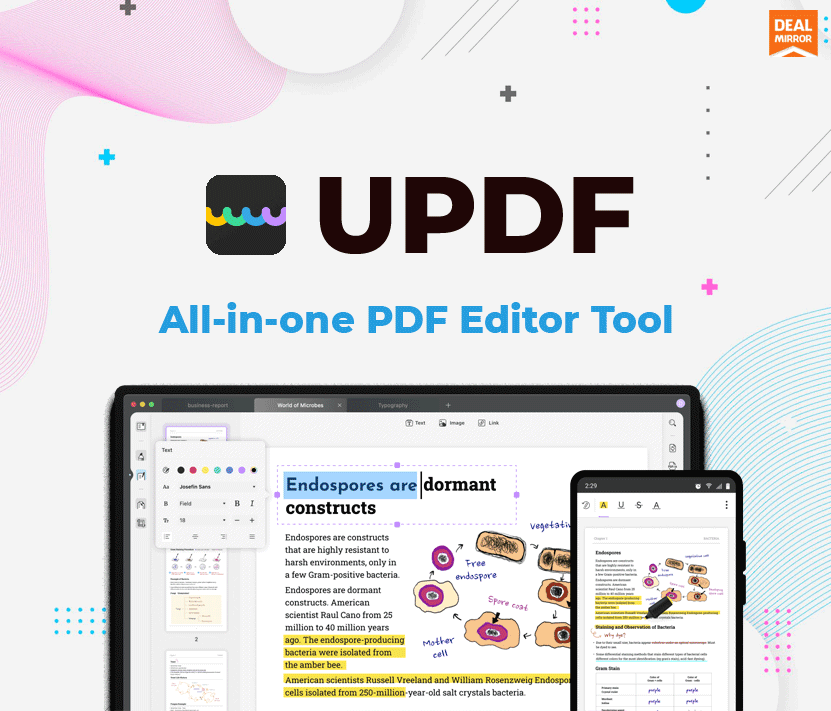
Credit: dealmirror.com
Frequently Asked Questions
What Is Updf Lifetime Deal?
Updf Lifetime Deal is a one-time purchase offer. It provides lifetime access to Updf’s premium features. This deal is cost-effective and beneficial.
Is Updf Lifetime Deal Worth It?
Yes, Updf Lifetime Deal is worth it. It offers premium features at a one-time cost. This saves you money compared to recurring subscriptions.
How Do I Purchase Updf Lifetime Deal?
You can purchase Updf Lifetime Deal directly from their website. Look for the lifetime deal offer and follow the purchase instructions.
What Features Are Included In Updf Lifetime Deal?
Updf Lifetime Deal includes all premium features. These features often include advanced editing, secure sharing, and priority support.
Conclusion
UPDF offers a powerful PDF editing solution for all your needs. Its cross-platform support ensures flexibility. The lifetime deal makes it cost-effective, with comprehensive features like OCR, annotation, and more. Ideal for individuals seeking efficient PDF management. Try it now for a seamless PDF experience.
Recommended Productivity


