
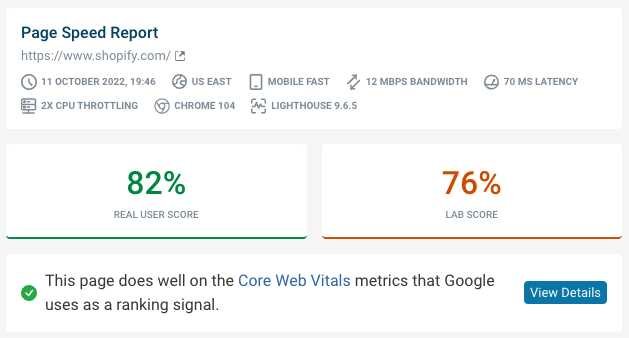
Want to ensure your website loads lightning-fast and keeps visitors engaged? Checking your site’s speed and performance is easier than you think with the right tools and a few simple steps. Monitoring these metrics helps you identify bottlenecks, optimize user experience, and boost your search rankings. In just a few minutes, you can uncover what’s slowing down your site and take actionable steps to improve it.
The quickest way to check your website’s speed and performance is by using online tools like Google PageSpeed Insights, GTmetrix, or Pingdom. These platforms analyze your site, provide detailed reports, and suggest improvements to enhance load times and overall user experience.
If you’re wondering how to evaluate your website’s performance, start by running your site through free testing tools. They offer valuable insights into load speeds, responsiveness, and potential issues, giving you a clear path to optimize your website effectively.

How to check website speed and performance
Understanding why website speed matters
Website speed influences how visitors experience your site. If your page loads quickly, visitors are more likely to stay and explore. Slow websites can frustrate users, which increases bounce rates and reduces conversions. Search engines also favor faster sites, helping your site rank higher in results.
Key metrics to evaluate website performance
When measuring your website’s speed, focus on these crucial metrics:
- Load time: How long it takes for your webpage to fully appear on a user’s screen.
- Time to First Byte (TTFB): The time it takes for the server to respond after a request.
- Page Size: Total data your browser needs to load, including images, scripts, and styles.
- Number of Requests: How many individual files your site loads, like images, CSS, and JavaScript.
How to check website speed using online tools
Using free online tools makes it simple and quick to assess website performance. Here are some popular options:
- Google PageSpeed Insights: Provides insights and suggestions for improving speed on both mobile and desktop.
- GTmetrix: Combines Google PageSpeed and YSlow insights, offering detailed reports and recommendations.
- Pingdom Tools: Focuses on load times, file sizes, and requests, making it easy to identify bottlenecks.
Steps to use these tools effectively
For best results, use multiple tools to get a comprehensive view. Enter your website URL into each tool and analyze the reports. Pay attention to load times, bottlenecks, and suggested fixes. Repeat tests at different times of day to see how performance varies.
Interpreting performance reports
Understanding the data from these tools is crucial. For example, a high page size indicates lots of images or scripts that can slow down loading. A high number of requests can also delay page rendering. Focus on recommended improvements to optimize your site.
Why mobile performance is essential
More visitors access websites via smartphones and tablets. Mobile performance impacts user engagement and search rankings. Use tools like Google PageSpeed Insights to evaluate mobile speed separately. Optimize images and scripts specifically for mobile devices for a better experience.
How to improve website speed based on test results
Once you identify performance issues, implement targeted fixes. These may include compressing images, reducing server response times, and minimizing code. Regularly testing your website helps maintain optimal speed over time.
Optimizing images for faster loading
Images often account for the largest part of page size. Use formats like WebP for better compression. Resize images to display correctly on all devices, avoiding unnecessary large files.
Minifying code and scripts
Minification involves removing extra spaces, comments, and unnecessary characters from HTML, CSS, and JavaScript files. This process reduces file sizes and speeds up loading times.
Using browser caching effectively
Leverage browser caching to store static files locally. This way, returning visitors can load pages faster without re-downloading images or scripts. Proper cache settings are essential for sustained performance.
Content Delivery Networks (CDNs) and their role
A CDN distributes your website’s content across multiple servers worldwide. When a user accesses your site, data loads from the closest server, reducing latency. CDNs significantly improve load times, especially for global audiences.
Monitoring website performance regularly
Performance can fluctuate due to server issues, new content, or plugin updates. Make a habit of testing your website monthly or after significant changes. Continuous monitoring ensures your site remains fast and reliable.
Additional tools for in-depth analysis
Beyond basic speed tests, consider using tools like:
- WebPageTest: Offers advanced testing options and visual load timelines.
- Lighthouse: Google’s open-source tool for auditing performance, accessibility, and best practices.
- New Relic: Provides real-time monitoring and detailed performance metrics for larger websites.
Best practices for maintaining high website performance
Consistent maintenance keeps your website running smoothly. Regularly update your CMS, plugins, and themes. Remove unused files and scripts, and review server performance periodically.
To deepen your understanding, consider exploring topics like:
- Website security and its impact on performance
- Optimizing website hosting for speed
- Best practices for responsive design
- Using analytics to track user behavior and improve performance
In conclusion
Checking your website’s speed and performance is an ongoing process that requires using the right tools and understanding key metrics. Regular testing and implementing recommended fixes ensure your site loads quickly, providing a positive experience for visitors. Optimized performance not only improves user satisfaction but also boosts your site’s visibility in search engine rankings. Keep monitoring and refining your website to maintain top speeds and deliver the best possible browsing experience.
How to Check Website Speed and Performance
Frequently Asked Questions
What tools can I use to evaluate my website’s loading speed?
You can utilize various online tools such as Google PageSpeed Insights, GTmetrix, and Pingdom to assess your website’s loading times. These tools analyze your site’s performance, providing detailed reports on speed metrics, suggestions for improvements, and insights into how different elements impact load times.
How do I interpret the performance scores provided by these tools?
Performance scores usually range from 0 to 100, with higher scores indicating faster and more efficient websites. These scores are based on factors like page load time, size, and number of requests. Review the detailed recommendations and focus on fixing critical issues such as large images, excessive scripts, or server response times that can slow down your site.
What steps should I take to improve my website’s speed after testing?
Start by optimizing images for faster loading, minifying CSS and JavaScript files, and leveraging browser caching. Consider reducing the number of third-party scripts and plugins, using a content delivery network (CDN), and upgrading your hosting service if necessary. Regularly monitor your website’s performance to ensure it stays fast and responsive.
Final Thoughts
To check website speed and performance, start by using tools like Google PageSpeed Insights or GTmetrix. These platforms provide detailed insights and specific suggestions for improvement. Focus on metrics such as load time, first contentful paint, and fully loaded time. Regularly monitoring these metrics helps maintain optimal website performance and enhances user experience.