
Looking to boost your team’s efficiency and get more done in less time? The secret lies in leveraging the right project management apps that keep everyone on the same page, streamline tasks, and simplify collaboration. With the right tools, you can turn chaos into clarity and make your projects flow smoothly from start to finish.
Using project management apps effectively can drastically improve productivity by organizing tasks, setting clear deadlines, and facilitating real-time communication. These tools help teams prioritize work, track progress effortlessly, and avoid costly missteps. In this article, you’ll discover practical strategies to maximize your project management apps and unlock your team’s full potential, transforming the way you work for better results every time.

How to Improve Productivity with Project Management Apps
Understanding the Role of Project Management Apps
Project management apps are powerful tools that help teams plan, coordinate, and complete tasks efficiently. They serve as centralized platforms where all project details, deadlines, and responsibilities are stored. By using these apps, teams can reduce confusion and avoid missed deadlines, leading to higher productivity.
These tools are designed to simplify complex workflows and foster better communication among team members. They also provide real-time updates, making it easier to keep everyone on the same page. Incorporating the right project management app into your work routine can significantly boost overall efficiency.
Choosing the Right Project Management App
Picking the best app depends on your team’s needs and project scope. Consider factors such as ease of use, features, and price. Look for apps that offer task tracking, collaboration tools, file sharing, and time management options.
Some popular options include Trello, Asana, Monday.com, and ClickUp. Each offers unique features suited for different types of projects and team sizes. Conducting a trial run can help you understand which app fits your workflow best.
Setting Clear Goals and Expectations
Effective project management begins with setting clear, achievable goals. Use your app to define specific objectives for each project phase. Break down big tasks into small, manageable steps to make progress easier to track.
Communicate these goals clearly within the app so everyone understands their responsibilities. When team members know what is expected, they can prioritize their work better, leading to increased productivity.
Organizing Tasks and Workflows
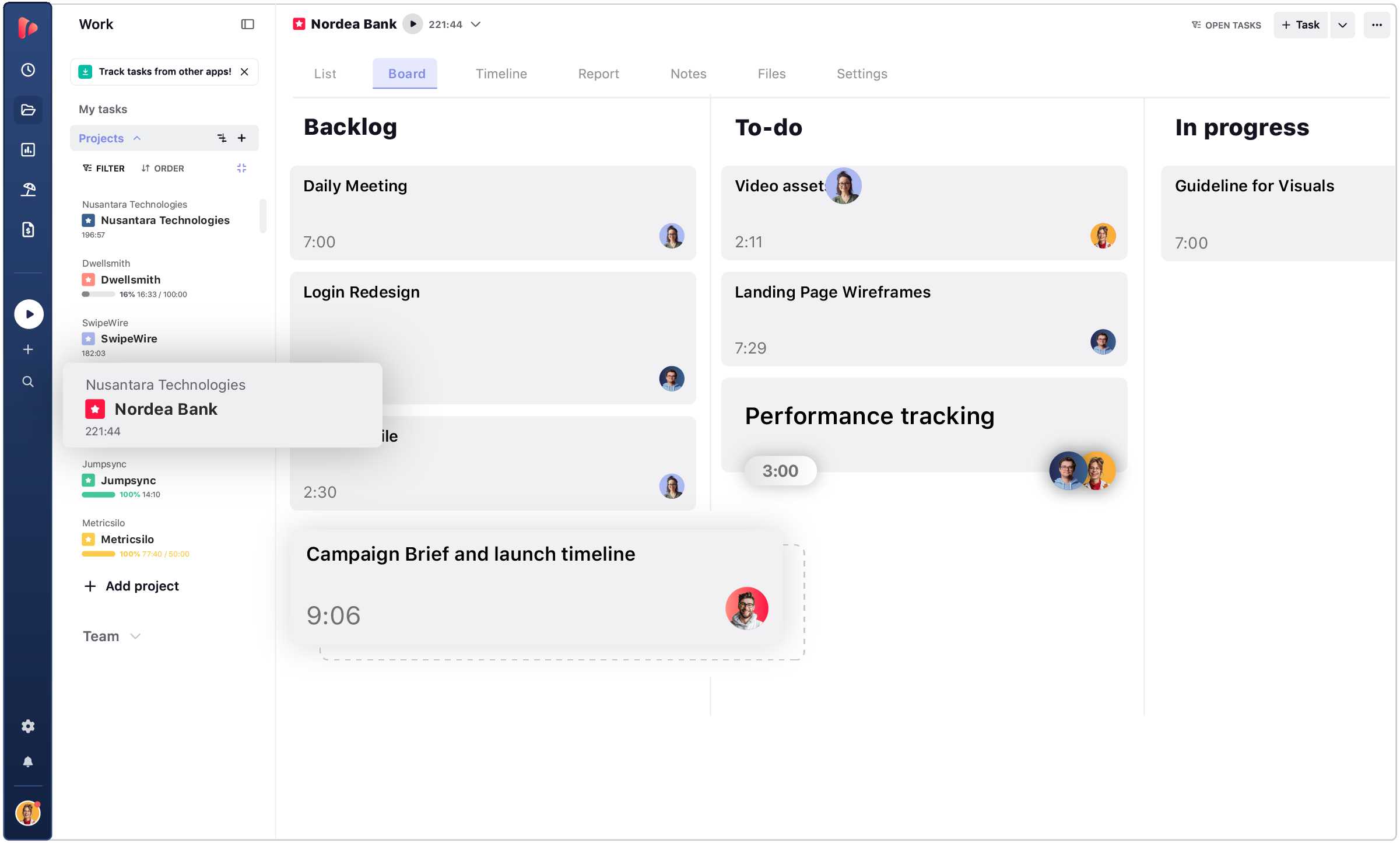
Proper organization is key to staying productive. Use the task management features to assign tasks, set deadlines, and attach relevant files. Visual tools like Kanban boards or Gantt charts help visualize progress and identify bottlenecks.
Create labels, tags, or categories to classify tasks by priority or department. Keep the workflow simple but structured, ensuring team members can find and update their tasks quickly.
Leveraging Automation Features
Many project management apps include automation options that save time and reduce manual work. Automate routine activities such as sending reminders, updating task statuses, or moving tasks between stages.
Set up rules within the app to trigger actions based on specific conditions. Automation minimizes delays and allows team members to focus on more critical, high-value work.
Improving Communication and Collaboration
Strong communication boosts team productivity. Use built-in chat features, comment sections, or direct messaging to facilitate quick exchanges. Share updates, ask questions, and clarify details directly within task cards.
Encourage team members to upload files, notes, and feedback to keep all related information accessible. Clear and open communication prevents misunderstandings and accelerates project progress.
Tracking Progress with Reports and Dashboards
Monitoring your project’s health is essential for maintaining productivity. Utilize dashboards that display real-time data such as task completion rates, upcoming deadlines, and workload distribution.
Generate reports regularly to evaluate performance and identify areas for improvement. Visual insights help managers make informed decisions and adjust plans promptly.
Using Time Tracking to Boost Efficiency
Time tracking features assist teams in understanding how long tasks take. Encourage members to log their work hours accurately. This data reveals productivity patterns and highlights time-consuming activities.
Analyze this information to streamline tasks, eliminate unnecessary steps, and allocate resources more effectively. Proper time management enhances overall output.
Integrating Other Tools for Seamless Workflows
Project management apps often support integrations with other software used by your team. Connect email, calendars, file storage, and communication tools to create a cohesive environment.
Integrations help prevent data duplication and ensure all relevant information stays synchronized. This seamless flow reduces delays and keeps your team focused on their work.
Fostering a Culture of Accountability
Using project management apps creates transparency and accountability. When tasks are assigned and deadlines are visible, team members become more responsible for their work.
Encourage regular updates and check-ins via the app. Recognizing achievements and responsible behavior motivates team members to stay productive and committed.
Providing Training and Support
Ensure all team members understand how to use the app effectively. Offer training sessions, tutorials, or guides to familiarize everyone with key features. Support helps reduce frustration and improves adoption.
Schedule periodic reviews to identify challenges and gather feedback. Continuous learning maximizes the benefits of your chosen project management tool.
Reviewing and Updating Processes Regularly
Periodic evaluation of your workflow and app usage ensures ongoing improvement. Adapt your strategies based on project outcomes and team feedback. Update task templates, automations, or integrations to reflect changing needs.
Staying flexible enables your team to work smarter and maintain high productivity levels over time.
Implementing an effective project management app can be a game-changer for your team. It helps organize work, improve communication, and track progress transparently. Properly leveraging these tools leads to better time management and higher output. Continually refine your processes and encourage active participation to maximize the benefits of project management apps.
The 10 Best FREE Project Management Tools For 2024 (Productivity Software Guide)
Frequently Asked Questions
How can setting clear goals within project management apps boost team efficiency?
By establishing specific and measurable objectives directly in your project management tools, teams gain a clear understanding of priorities and expected outcomes. This focus helps prevent distractions, aligns everyone with the project’s purpose, and ensures that all tasks contribute to the overall goal, ultimately increasing productivity.
What strategies can I use to optimize task management in these apps?
Breaking down large projects into smaller, manageable tasks allows team members to focus on their immediate responsibilities. Assign deadlines, prioritize tasks based on urgency and importance, and utilize features like labels and filters to keep tasks organized. Regularly reviewing and updating task statuses encourages accountability and keeps progress on track.
How does effective communication within project management tools improve workflow?
Using built-in communication features such as comments, notifications, and shared document links keeps all team members informed and engaged. Prompt responses to updates and questions prevent misunderstandings, reduce delays, and facilitate collaborative problem-solving, which leads to a smoother workflow.
In what ways can integrating other tools with project management apps enhance productivity?
Connecting your project management platform with calendars, file-sharing services, and time-tracking tools allows for seamless data flow and eliminates manual data entry. This integration saves time, ensures consistency across platforms, and provides a comprehensive view of project progress, empowering teams to make informed decisions quickly.
How can regular progress reviews in project management apps help maintain momentum?
Scheduling consistent check-ins and update meetings within the app keeps everyone aligned and aware of current statuses. These reviews help identify potential obstacles early, adjust plans as needed, and celebrate completed milestones, all of which foster continued momentum and motivation among team members.
Final Thoughts
To improve productivity with project management apps, focus on setting clear goals and deadlines. Use features like task assignments and progress tracking to keep everyone aligned. Regular updates and communication keep projects on track and prevent delays. Applying these strategies helps teams work efficiently and meet objectives effectively. Ultimately, prioritizing organized work with the right tools boosts overall performance and success.