
To effectively manage client projects with Basecamp, start by setting up clear project structures, assigning tasks, and maintaining open communication through centralized discussions. Use the platform’s tools to keep everything organized, on schedule, and transparent for clients and team members alike. Regular updates and proactive management ensure projects stay on track and clients remain satisfied.
Managing client projects with Basecamp is straightforward when you utilize its features properly. Create dedicated projects for each client, organize tasks into to-do lists, and assign responsibilities with clear deadlines. Keep the lines of communication open using the message boards and chat feature, and regularly review progress with automatic updates. By integrating these practices, you can streamline workflow, enhance collaboration, and deliver successful projects that meet or exceed client expectations.
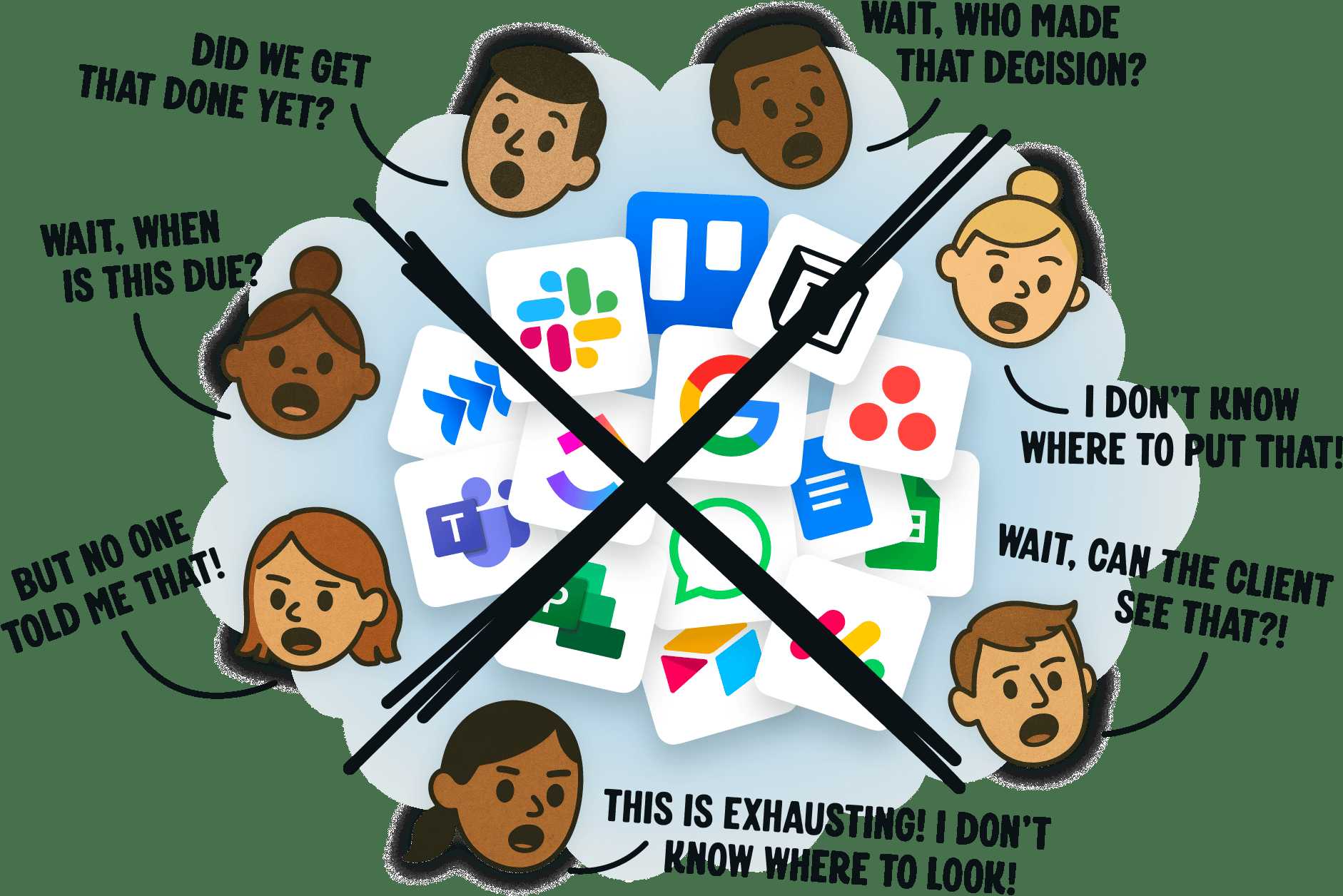
Jumping into project management can feel overwhelming, especially when juggling multiple clients and deadlines. With Basecamp, however, you get an intuitive platform designed to simplify coordination and boost productivity. From setting up projects to tracking progress and fostering transparent communication, Basecamp offers all the tools you need to keep client projects organized, on schedule, and running smoothly. This article will guide you through practical steps to leverage Basecamp’s features for flawless project delivery—so you can focus more on your work and less on chaos.

How to manage client projects with Basecamp
Getting started with Basecamp for client project management
Managing client projects efficiently starts with understanding how Basecamp works. This platform offers a straightforward way to organize tasks, communicate, and keep everyone on the same page. Begin by creating a dedicated project for each client, which helps keep work organized and easily accessible. When setting up, add all relevant team members and clients to the project to encourage transparency and collaboration.
Setting up your project correctly is essential. Use the “To-Do” lists to break down work into manageable steps. This makes it easier to assign tasks, set deadlines, and track progress. Think of each step as a mini goal that contributes to the overall success of the project. This organized approach reduces confusion and helps everyone stay focused.
Using tools within Basecamp for effective project oversight
Basecamp provides various tools to help manage projects smoothly. The “Message Board” is a perfect space for sharing updates or important information. Use it to communicate project milestones, new ideas, or address questions from clients. Keep messages clear and concise to avoid misunderstandings.
The “Schedule” feature helps manage deadlines and important events. Schedule meetings, due dates, and milestones to ensure all team members and clients are aware of upcoming tasks. This visual overview makes it easier to adjust timelines if necessary.
The “Docs & Files” feature stores all documents related to the project in one place. Upload contracts, reports, or reference materials so everyone can access the latest versions. This prevents lost files and ensures information is always up to date.
Assigning roles and responsibilities effectively
Clearly defining each team member’s role is vital for smooth project execution. Use Basecamp to assign tasks directly to specific individuals. This clarity helps avoid duplicated work or overlooked duties.
Set expectations for clients by establishing who will handle which parts of the project. You can do this by creating a responsibility matrix or a shared task list. Regularly review roles as the project progresses to adapt to changing needs.
Encourage open communication by reminding team members to update task statuses and share feedback. This fosters accountability and keeps everyone informed about their responsibilities.
Tracking progress and staying on schedule
Keeping a close eye on project progress ensures timely delivery. Use Basecamp’s “To-Do” lists to check off completed tasks and identify bottlenecks. Visual cues like color-coded statuses help quickly spot delays or issues.
Set up weekly or daily check-ins using the “Message Board” or “Campfire” feature. These quick chats promote real-time updates and rapid problem resolution. If a task is falling behind, reassign or adjust priorities promptly.
The “Reports” feature can generate summaries of task completion and upcoming deadlines. Use these reports during client meetings to show progress clearly and build trust through transparency.
Communicating effectively with clients through Basecamp
Open and consistent communication is the backbone of successful project management. Use the “Message Board” to share updates, ask questions, or clarify client needs. This keeps all conversations documented and easily accessible.
Encourage clients to provide feedback directly within the platform. This can be done via comments on tasks or files. Clear feedback loops help prevent misunderstandings and reduce revisions later.
For urgent matters, the “Campfire” feature offers quick, informal chats. This is useful for immediate questions or quick updates. Always set expectations about response times to keep communication smooth.
Managing multiple client projects at once
Handling several projects requires organization and prioritization. Use Basecamp’s color-coded labeling or separate projects to distinguish clients. This visual separation helps avoid mixing up tasks or deadlines.
Create a centralized dashboard or overview document that lists all ongoing projects, their statuses, and upcoming deadlines. This helps in managing workload and avoiding last-minute surprises.
Schedule regular review sessions to check progress across all projects. During these reviews, adjust resources and deadlines according to current needs. This proactive approach keeps multiple projects on track simultaneously.
Leveraging integrations and automation to boost efficiency
Basecamp can work seamlessly with other tools like Google Calendar, Slack, or Zapier. Connect these for automatic updates and notifications. For example, when a task is completed, an automatic message can be sent to the client or team.
Use automation to assign recurring tasks or set reminders. This reduces manual work and ensures nothing falls through the cracks. Automations save time and keep the project moving forward without constant oversight.
Explore third-party integrations that streamline document signing, time tracking, or invoicing. These tools complement Basecamp, making project management more comprehensive and less labor-intensive.
Best practices for client project management with Basecamp
To maximize productivity, establish clear project guidelines from the start. Document processes, communication protocols, and expected deliverables. Share these guidelines with clients and team members to ensure everyone is aligned.
Stay consistent with updates and check-ins. Regularly review the project dashboard and recent activity feeds. Consistency reduces surprises and keeps momentum going.
Always maintain transparency with clients. Share reporting updates, progress summaries, and any risks early on. Building trust reduces last-minute changes and surprises.
Encourage team members to use Basecamp daily. Prompt them to update task statuses, upload files, and communicate proactively. Consistent usage prevents chaos and keeps projects on schedule.
Handling challenges in client project management with Basecamp
Despite best efforts, challenges can occur. Common issues include missed deadlines, miscommunications, or scope creep. Address these by engaging in open dialogue through Basecamp.
Set realistic expectations early and update clients promptly about changes or delays. Being transparent helps maintain strong relationships even during tough times.
Use the platform’s reporting tools to identify problem areas. For example, if tasks are frequently late, review workflow and reassign resources as needed. Continuous monitoring allows quick adjustments.
Create contingency plans for potential risks. For instance, if a team member is unavailable, have backup strategies in place. This preparedness minimizes disruptions.
Managing client projects effectively involves organization, clear communication, and consistent follow-up. Basecamp offers a simple yet powerful suite of tools to facilitate this. By properly setting up projects, assigning responsibilities, and tracking progress, you can deliver on client expectations on time. Regular communication and proactive problem-solving will ensure smooth project flow. Using integrations and best practices, you can make the most of Basecamp and keep multiple projects on track. With proper management, your client relationships will strengthen, and your projects will succeed.
How Basecamp Works – A Quick Overview
Frequently Asked Questions
How can I organize tasks and deadlines effectively within Basecamp for client projects?
To organize tasks and deadlines efficiently, create to-do lists tailored to each project or client. Assign clear responsibilities by assigning tasks directly to team members, set due dates to keep everyone on schedule, and use labels or milestones to prioritize urgent items. Regularly review and update these lists to ensure progress remains on track and deadlines are met.
What features in Basecamp help facilitate communication with clients during a project?
Basecamp offers message boards, real-time chat, and comment sections on specific tasks to support seamless communication. Use message boards for overall updates, client feedback, or sharing important information. The comment feature on tasks and files allows for contextual discussions, reducing misunderstandings and keeping all communication organized within the project space.
How can I track project progress and keep clients informed in Basecamp?
Use the built-in activity stream to monitor ongoing actions and updates. Generate regular status reports or summaries using the update feature, and share them with clients through the platform. Additionally, leverage check-ins and automatic notifications to keep clients informed about key developments and upcoming deadlines, ensuring transparency throughout the project lifecycle.
What steps should I take to manage multiple client projects within Basecamp effectively?
Set up separate teams or projects for each client to prevent overlap. Use consistent naming conventions and templates to streamline setup. Prioritize tasks across projects with clear deadlines, and regularly review each project’s progress. Employ distinct communication channels for each client to maintain clarity and avoid confusion between different projects.
How can I handle document sharing and version control with clients in Basecamp?
Upload all relevant files to designated folders within each project for easy access. Use comments on files to discuss updates and clarify changes. While Basecamp doesn’t have advanced version control features, maintaining a clear naming convention and keeping a record of revisions in the comments helps manage document updates effectively. Download and upload new versions as needed to keep everyone working with the latest files.
Final Thoughts
Managing client projects with Basecamp simplifies collaboration and organization. Use to-do lists to assign tasks clearly and track progress efficiently. Keep communication centralized through messages, reducing misunderstandings.
Regularly update project statuses to keep everyone informed. Utilize shared files for easy access to important documents. Clear deadlines and responsibilities ensure smooth project flow.
In conclusion, effective management of client projects with Basecamp involves structured communication and task management. By implementing these strategies, you ensure projects stay on track and clients remain satisfied.