
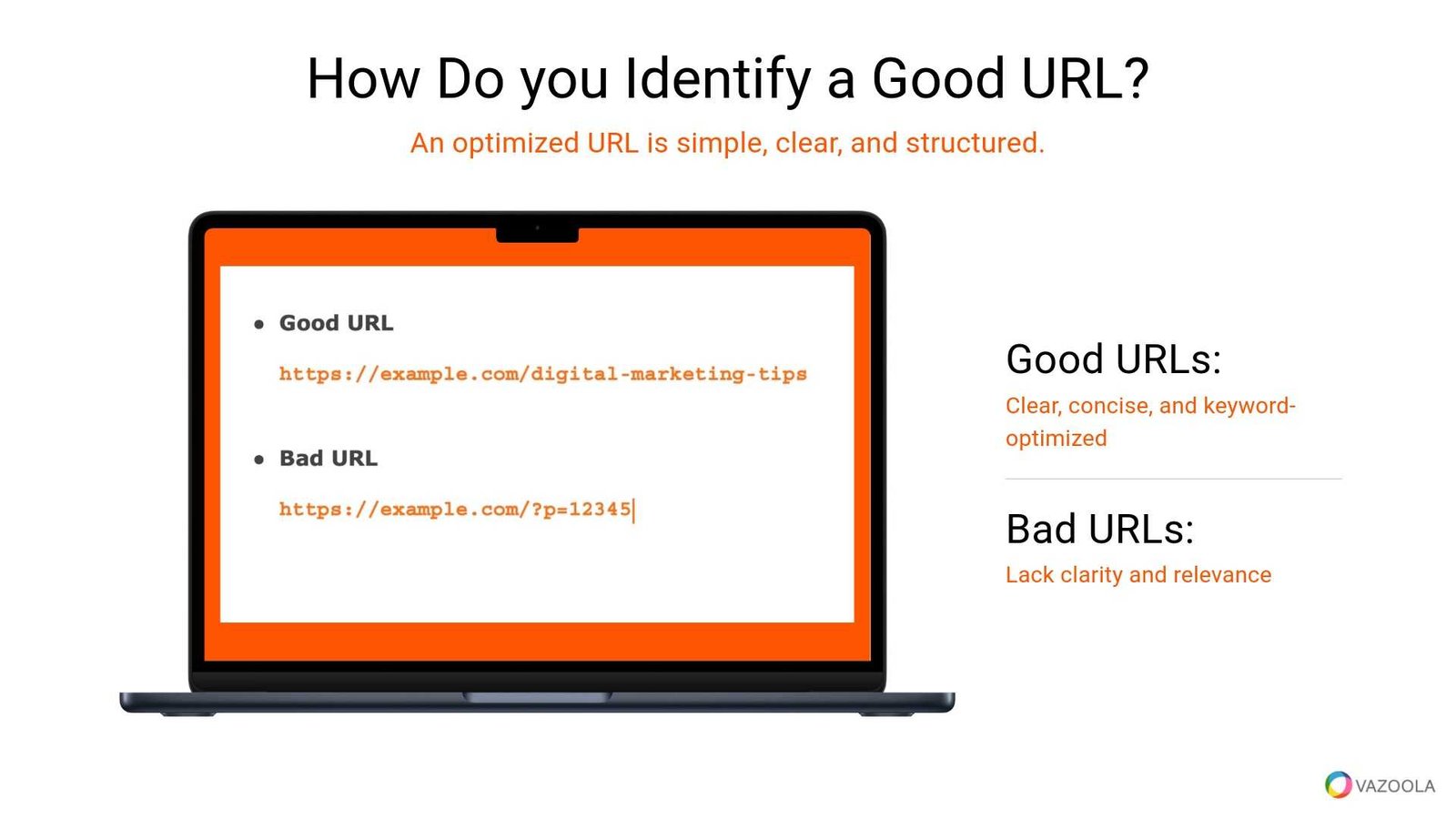
To optimize URLs for clarity and SEO, keep them simple, descriptive, and keyword-rich. Use hyphens to separate words, avoid unnecessary numbers or symbols, and ensure they reflect the content of the page. Properly optimized URLs not only improve search engine rankings but also make it easier for users to understand what the page is about at a glance.
In essence, crafting clean and meaningful URLs helps both users and search engines navigate your site more efficiently. Focusing on clarity, relevant keywords, and simplicity can significantly boost your SEO efforts and improve user experience.
Clear and well-structured URLs are key to better SEO and user trust. When URLs are straightforward and descriptive, they become more appealing in search results and easier to share. In this article, we’ll explore practical tips to create optimized URLs that enhance your website’s visibility and usability. Whether you’re building a new site or refining existing URLs, understanding these strategies can make a real difference in your digital presence.

How to Optimize URLs for Clarity and SEO Value
Creating clear and SEO-friendly URLs is essential for improving your website’s visibility on search engines and making it easier for users to navigate. Well-optimized URLs not only boost your rankings but also provide a better user experience. Let’s explore several strategies that can help you craft URLs that serve both purposes effectively.
Understanding the Importance of URL Structure
A URL acts as a web address that points to a specific page on your website. It communicates information to both users and search engines about the content of the page. Clean and descriptive URLs are more trustworthy and clickable in search results.
Search engines favor URLs that are simple to parse and contain relevant keywords. They help search engines understand what your page is about and influence your rankings for those keywords.
Key Elements of an Optimized URL
To create effective URLs, focus on these important components:
- Readability: URLs should be easy to read and understand for users.
- Relevance: Include keywords related to the page content.
- Conciseness: Keep URLs short but informative.
- Hyphens: Use hyphens to separate words for clarity.
- Lowercase Letters: Use lowercase to avoid confusion and duplicate content issues.
Best Practices for URL Formatting
Use Hyphens to Separate Words
Hyphens improve readability by clearly dividing words. Search engines interpret hyphens as spaces, which helps in indexing keywords accurately.
Keep URLs Short and Simple
A concise URL is easier to remember and share. Avoid unnecessary words or parameters that do not add value to the description of the page.
Avoid Using Special Characters and Parameters
Stay away from symbols like &, %, *, or ? in URLs. These can cause confusion and may be misinterpreted by browsers or search engines.
Implement Lowercase Letters
Using lowercase ensures consistency and prevents duplicate URLs due to case sensitivity in some servers.
Structuring URLs for SEO
Hierarchy and Folder Structure
Organize your URLs to reflect the site hierarchy logically. For example, use www.example.com/products/electronics/phones to indicate the content’s level.
This approach helps search engines understand the importance and relationship of different pages.
Use Descriptive Keywords in URLs
Incorporate relevant keywords naturally into your URLs. For instance, instead of www.example.com/page1, use www.example.com/organic-green-tea.
This boosts SEO by aligning URLs with search queries related to your content.
Technical Considerations in URL Optimization
Canonical URLs
Specify canonical URLs to prevent duplicate content issues. This tells search engines which version of a page is the primary one.
Handling URL Parameters
Use parameters sparingly and ensure they do not create duplicate pages. Consider URL rewriting or parameter handling options in your CMS.
Implementing HTTPS
Secure your website with HTTPS. Not only does it protect user data, but it also influences search engine rankings positively.
Tools and Techniques for URL Optimization
Using SEO Plugins and CMS Features
Many content management systems like WordPress offer URL customization features. Utilize these to create friendly URLs without coding.
Analyzing URL Performance
Regularly review your URLs using tools like Google Search Console or SEO auditing tools. Look for issues like broken links, duplicate URLs, or poor keyword relevance.
Maintaining Consistency
Develop a URL naming convention for your website. Consistency makes your site more navigable and easier to optimize over time.
- Site Structure Optimization: Ensuring your entire website is well-organized for both users and search engines.
- Redirect Strategies: Properly implementing 301 redirects when URLs change to preserve SEO value.
- URL Length Limits: Keeping URLs within 60 to 100 characters for optimal display and usability.
Optimizing URLs for clarity and SEO includes a combination of simplicity, relevance, and technical best practices. By constructing URLs that are easy to read, contain relevant keywords, and follow a logical hierarchy, you ensure better search engine rankings and enhanced user experience. Regularly review and update your URLs to maintain their effectiveness and adapt to evolving SEO standards. Implementing these strategies will help your website become more visible and accessible to your target audience.
Entity-SEO Tips: Avoid URL Mistakes! – Jimmy Kelley
Frequently Asked Questions
What are the key elements to include in a URL for better readability?
Focus on using clear, descriptive words that accurately reflect the page content. Keep URLs concise by avoiding unnecessary characters or parameters. Use hyphens to separate words for clarity, and avoid using special symbols or numbers unless they add value. Structuring URLs with relevant keywords helps users understand what to expect and improves overall site navigation.
How does URL structure influence search engine rankings?
Search engines prioritize URLs that clearly indicate the page’s topic. A logical and organized URL structure helps search engines crawl and index pages more effectively. Including relevant keywords in the URL boosts visibility in search results and signals the page’s relevance to specific queries, positively affecting rankings.
What are common pitfalls to avoid when creating SEO-friendly URLs?
Avoid using lengthy, complex, or ambiguous URLs that confuse users and search engines alike. Refrain from including irrelevant parameters, session IDs, or excessive numbers. Do not overload URLs with keywords, which can appear spammy. Maintaining simplicity and clarity ensures your URLs remain effective and user-friendly.
Design URLs that are short, simple, and easy to read on small screens. Avoid long strings of words or complicated structures. Use hyphens for separation, making URLs easy to copy and paste across different platforms. Clear, concise URLs enhance user experience and facilitate sharing via social media or email.
Should I include keywords in my URLs, and if so, how many?
Including relevant keywords in URLs can improve search visibility, but avoid overstuffing. Use one or two primary keywords that accurately represent the page content. Focus on maintaining natural language and clarity. Balanced keyword integration helps search engines understand your page while keeping URLs user-friendly.
Final Thoughts
Optimizing URLs for clarity and SEO value enhances user experience and search rankings. Clear URLs should be concise, descriptive, and include relevant keywords. Avoid complex strings and unnecessary parameters that can confuse users and search engines.
Applying these principles ensures your URLs communicate content effectively and improve visibility. Proper optimization makes it easier for both users and search engines to navigate and understand your site.
In conclusion, how to optimize URLs for clarity and SEO value involves simplicity, relevance, and consistency. Focus on creating straightforward URLs that accurately reflect your content to boost your site’s performance.
Recommended SEO


