
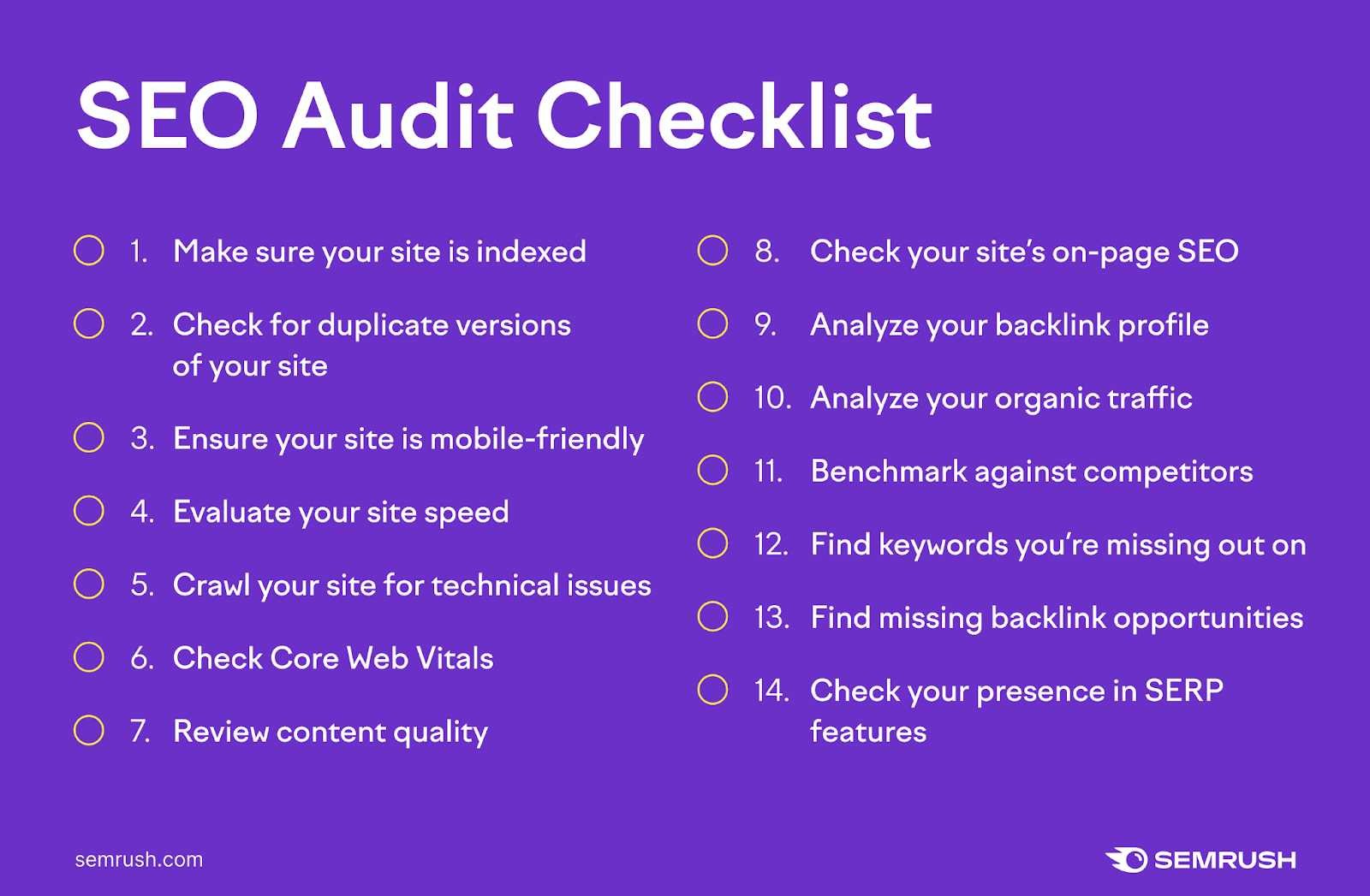
Performing a full SEO website audit might seem daunting, but breaking it down into clear steps makes it manageable and even rewarding. To start, you need to analyze your website’s technical health, on-page elements, and overall user experience to identify areas for improvement. A comprehensive audit helps uncover issues that could be limiting your search rankings and shows you where to focus your efforts for better visibility. In essence, an SEO audit is about understanding what’s working, what’s not, and how to fix it efficiently. By following a step-by-step process, you can systematically evaluate your site, prioritize fixes, and set a clear roadmap toward improved SEO performance. Ready to dive in? Let’s explore how to do it effectively.
In short, a full SEO website audit involves checking technical aspects like site speed and indexing, reviewing on-page SEO elements such as keywords and content, and analyzing off-site factors like backlinks. Conducting this audit systematically allows you to identify issues, optimize your site, and boost your search engine rankings for long-term success.

How to perform a full SEO website audit step by step
Performing a complete SEO audit helps you understand how well your website ranks and what improvements are needed. It allows you to find issues that could be holding your site back from achieving better search engine rankings.
Step 1: Analyze Your Website’s Overall Structure
Start by examining your website’s structure to ensure a clear, logical layout. A well-organized site helps search engines understand your content better. Check if your main pages are accessible from the homepage and if your navigation is user-friendly.
Utilize tools like Screaming Frog or Sitebulb to crawl your site and get insights into your URL hierarchy. Ensure your URLs are clean, relevant, and include keywords where appropriate. Avoid complex structures and excessive folder depths that can confuse search engines.
Step 2: Evaluate Website Speed
Website speed impacts user experience and SEO rankings. Use tools like Google PageSpeed Insights or GTmetrix to measure loading times. Faster sites tend to rank higher and keep visitors engaged longer.
Optimize images by compressing them without losing quality. Minimize code by removing unnecessary scripts and stylesheets. Consider leveraging browser caching and enabling content delivery networks (CDNs) to improve load times globally.
Step 3: Check Mobile-Friendliness
With most users browsing on mobile devices, your site must be mobile-friendly. Run tests on Google’s Mobile-Friendly Test tool to identify issues affecting mobile usability. Responsive design ensures your site looks good on all screens.
Fix overlapping text, clickable elements too close together, or slow response times. Use flexible images and scalable layouts to enhance mobile user experience and comply with search engine standards.
Step 4: Conduct Keyword Research and Optimization
Identify relevant keywords your target audience uses. Use tools like Google Keyword Planner or SEMrush to find high-volume and low-competition keywords. Incorporate these keywords naturally into your content, titles, and meta descriptions.
Check for keyword cannibalization, where multiple pages target the same keywords. Avoid keyword stuffing and focus on providing valuable, targeted content for each page.
Step 5: Analyze On-Page SEO Elements
Ensure each page has a unique and descriptive title tag that includes primary keywords. Write compelling meta descriptions to improve click-through rates from search results.
Use header tags (H1, H2, H3) properly to organize content and include keywords naturally. Optimize images with descriptive alt tags to improve accessibility and help search engines understand visual content.
Step 6: Review Content Quality and Relevance
Content should be high-quality, original, and relevant to your audience. Check for duplicate content that can harm your rankings. Use tools like Copyscape or Siteliner to identify duplicates.
Ensure your content answers user queries, provides value, and is well-structured with clear headings and bullet points. Update outdated information and add new content regularly to keep your site fresh.
Step 7: Examine Internal Linking Structure
Internal links help distribute link equity and guide users to related content. Use descriptive anchor text that accurately reflects the linked page’s content. Avoid broken internal links which can frustrate visitors and harm SEO.
Implement a logical hierarchy where important pages are linked prominently from the homepage. Use breadcrumb navigation to improve user experience and crawlability.
Step 8: Audit Backlinks and Off-Page SEO
Backlinks from reputable sources boost your site’s authority. Use tools like Ahrefs or Moz to analyze your backlink profile. Identify and disavow spammy or low-quality links that could harm your rankings.
Pursue opportunities to acquire high-quality backlinks through guest blogging, partnerships, and creating share-worthy content.
Step 9: Check Technical SEO Aspects
Perform a thorough inspection of backend elements that affect crawlability and indexation. Verify your robots.txt file to ensure important pages are not blocked.
Use Google Search Console to identify crawl errors, index coverage issues, or security problems. Create and submit an XML sitemap to help search engines discover your content efficiently.
Step 10: Review Analytics and Performance Metrics
Track your website’s performance using Google Analytics. Analyze key metrics like organic traffic, bounce rate, and conversion rates to gauge SEO effectiveness.
Set clear goals and monitor progress over time. Adjust your strategies based on data insights to improve your SEO results continually.
Additional Tips and Best Practices
- Regularly update your website’s content to ensure relevance.
- Stay informed about the latest SEO trends and algorithm updates.
- Maintain a consistent SEO audit schedule—quarterly or biannual audits work well.
- Use comprehensive tools to cover all aspects of your site’s SEO health.
Performing a full SEO website audit involves systematic analysis across multiple areas, from technical health to content quality. Regular audits help you stay ahead of SEO challenges and maintain a strong presence in search engine results. Take the time to follow these steps carefully, and you’ll see steady improvements in your search rankings and online visibility.
Comprehensive SEO Audit Guide: Perfect for Beginners!
Frequently Asked Questions
What tools should I use to analyze my website’s SEO performance?
Utilize a combination of SEO analysis tools to evaluate your website thoroughly. Google Search Console helps identify indexing issues and keyword performance, while tools like SEMrush or Ahrefs provide insights into backlink profiles, keyword rankings, and site audits. Additionally, tools like Screaming Frog can crawl your entire website to uncover technical SEO issues such as broken links, duplicate content, or incorrect redirects. Combining these tools gives a comprehensive view of your website’s SEO health and areas that need improvement.
How can I assess the website’s mobile-friendliness and loading speed?
Test your website’s mobile compatibility using Google’s Mobile-Friendly Test, which highlights usability issues that may affect mobile users. For loading speed, use Google PageSpeed Insights or GTmetrix to analyze page performance on desktop and mobile devices. These tools provide specific recommendations to optimize images, leverage browser caching, and improve server response times. Regularly monitoring these metrics ensures that your site remains accessible and quick to load across all devices.
What steps should I take to review on-page SEO elements?
Start by examining each webpage’s title tags, meta descriptions, headers, and URL structures to ensure they are relevant and optimized with target keywords. Check that images include descriptive alt text and that internal linking connects related content effectively. Additionally, verify that each page has unique and high-quality content that satisfies user intent. Making these adjustments improves content relevance and helps search engines better understand your pages.
How do I evaluate the website’s backlink profile?
Review your backlink profile using tools like Ahrefs or Moz. Identify high-quality links from authoritative sites and evaluate the overall diversity of your backlinks. Remove or disavow spammy or low-quality links that may harm your site’s reputation. Building new links from relevant, reputable sources also benefits your SEO efforts. Monitoring your backlink profile regularly helps maintain a healthy and trustworthy link ecosystem.
What are the key aspects to analyze in technical SEO during an audit?
Focus on checking your website’s crawlability and indexability, ensuring no critical pages are blocked by robots.txt or noindex tags. Review your sitemap’s accuracy and submission to search engines. Inspect your website for duplicate content, broken links, and redirect chains, and fix them promptly. Ensure your site uses HTTPS for security and that structured data markup is correctly implemented to enhance search result appearances. Addressing these technical factors helps improve your site’s visibility and performance.
Final Thoughts
Performing a full SEO website audit step by step involves analyzing site structure, content quality, and technical health. Start by checking crawlability and indexing issues using tools like Google Search Console. Next, review on-page elements such as keywords, meta tags, and internal links for relevance and optimization.
Evaluate site speed and mobile responsiveness, fixing any performance problems. Finish by analyzing backlinks and competitive benchmarks to understand your site’s position.
In conclusion, understanding how to perform a full SEO website audit step by step ensures continuous improvement and better search engine rankings.