
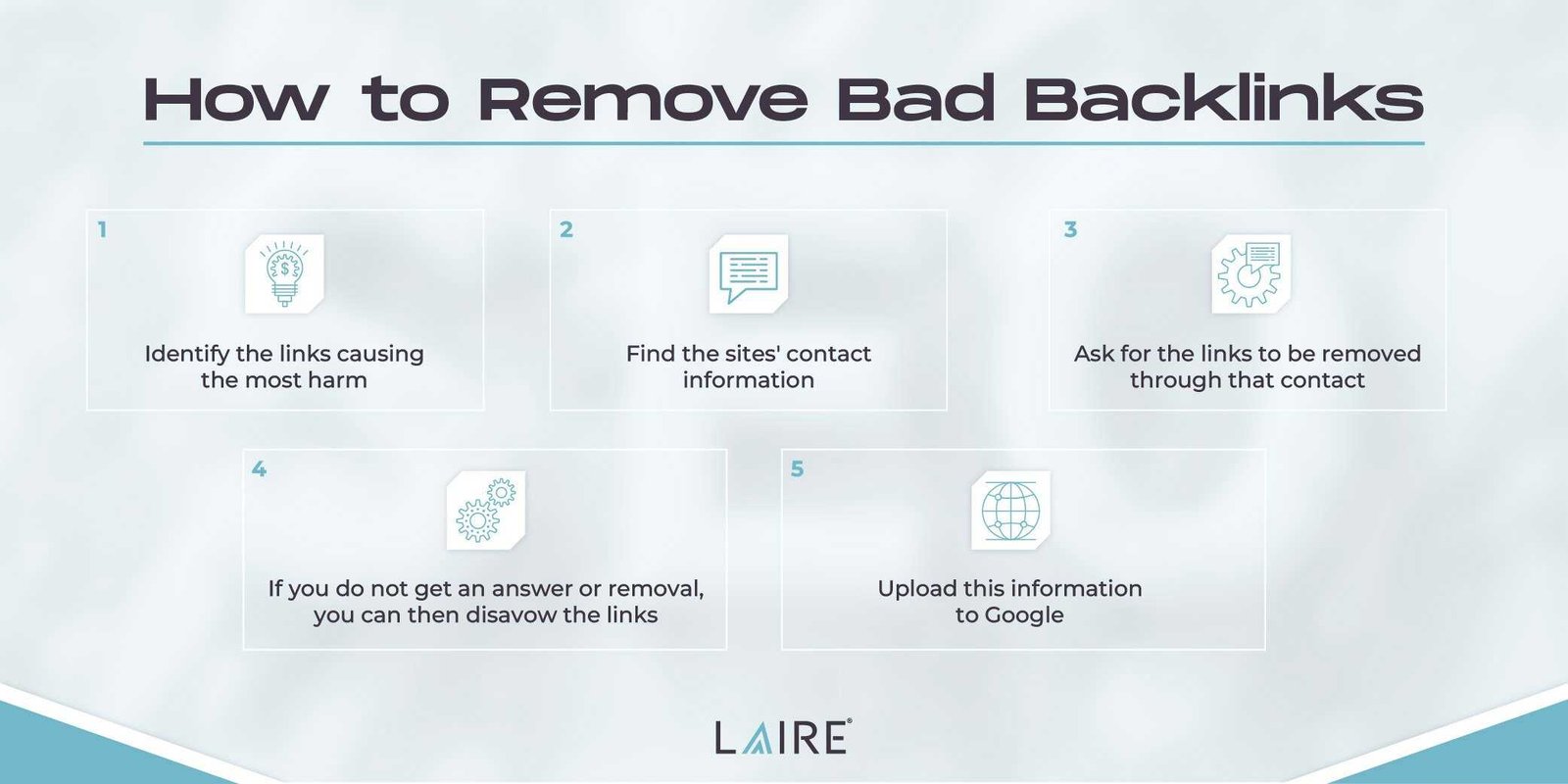
To fix toxic backlinks that harm your SEO, start by identifying and disavowing those links through Google’s Disavow Tool. Next, reach out to webmasters to request link removals, and monitor your backlink profile regularly to prevent future issues. Removing harmful links can significantly boost your site’s authority and search rankings.
Dealing with toxic backlinks can feel overwhelming, but with a clear plan, you can turn things around. If your website has been penalized or your rankings have dropped due to spammy or low-quality backlinks, it’s crucial to take action quickly. In this article, we’ll explore effective steps to identify, disavow, and prevent toxic backlinks, helping you restore your site’s SEO health and improve your search visibility. Whether you’re new to link management or looking to refine your strategy, these tips will guide you through cleaning up your backlink profile efficiently.

How to Remove Toxic Backlinks That Hurt SEO
Understanding Toxic Backlinks and Why They Matter
Toxic backlinks are links from low-quality, spammy, or irrelevant websites that point to your site. These links can harm your search engine ranking by signaling search engines that your site is associated with untrustworthy sources. Removing these links is essential to maintain a healthy SEO profile and improve your website’s visibility.
Identifying Toxic Backlinks
The first step in cleaning your backlink profile is to identify which links are harmful. Use tools like Google Search Console, Ahrefs, or SEMrush to analyze your backlinks. Look for links from sites with poor domain authority, irrelevant content, or spammy page content.
Key Indicators of Toxic Links
- Links from sites with low domain authority
- Spammy or irrelevant content on linking sites
- Links from sites involved in black hat SEO practices
- Sudden spikes in backlinks that seem unnatural
- Links from adult, gambling, or illegal websites
Evaluating the Quality of Backlinks
Not all backlinks are harmful. Some high-quality links will boost your SEO. Focus on the quality rather than quantity. Use metrics like Domain Authority and Page Authority scores to determine if a backlink is beneficial or toxic.
Assessing Link Relevance
Check if the linking site’s content is related to your niche. Irrelevant backlinks are more likely to be toxic, especially if they come from spammy sources. Relevance helps ensure the backlink is beneficial rather than harmful.
Creating a List of Toxic Backlinks
Once you’ve identified potential toxic backlinks, compile them into a list. This can be a simple spreadsheet with columns for the URL, the linking site, and your assessment of its toxicity. This list will guide your next steps.
Removing Toxic Backlinks
Removing toxic backlinks can be done in several ways, depending on the source of the link. The goal is to either get the link removed or to disassociate your site from harmful links.
Contact Webmasters for Removal Requests
Reach out directly to the webmaster of the linking site. Politely request them to remove the harmful link. Use the contact information found on their site or in the webmaster contact details. Be specific about the link you want removed.
Using Google’s Disavow Tool
If you cannot get the links removed manually, use Google’s Disavow Tool. This tool tells Google to ignore certain backlinks when assessing your site. Prepare a text file listing the URLs or domains to disavow, then upload it through Google Search Console.
Best Practices for Disavowing Links
- Disavow only links you are certain are toxic
- Avoid disavowing large numbers of links randomly
- Keep your disavow file organized and updated regularly
Maintaining a Healthy Backlink Profile
Prevention is as important as removal. Regularly monitor your backlink profile to catch new toxic links early. Use alerts in your SEO tools to notify you of sudden backlink changes.
Proactive Backlink Management
Create a schedule for backlink audits—every three to six months. Keep an updated list of high-quality backlinks from trusted sources to strengthen and diversify your profile.
Building High-Quality Backlinks
Focus on earning backlinks from reputable websites within your niche. Create valuable content, engage with industry influencers, and participate in guest blogging to organically boost your backlink profile.
Additional Tips and Strategies
– Educate yourself on black hat SEO tactics so you can recognize and avoid harmful links.
– Regularly review your backlinks to stay ahead of toxic links.
– Combine manual removal requests with disavow file submissions for the best results.
– Remember that cleaning your backlink profile takes time but is worth the effort for sustained SEO health.
Common Mistakes to Avoid
– Over-disavowing links without proper evaluation can harm your SEO.
– Relying solely on disavow files without manual outreach may leave toxic links untouched.
– Ignoring the importance of building quality backlinks alongside cleanup.
Removing toxic backlinks is a crucial part of maintaining a strong SEO presence. By regularly analyzing your backlink profile, identifying harmful links, and taking appropriate action, you can protect your site from penalties and improve your search engine rankings. Stay proactive with ongoing monitoring, and prioritize building links from reputable sources to ensure long-term success.
Fix Your SEO! How to Remove Toxic Backlinks and Boost Rankings
Frequently Asked Questions
What steps can I take to identify harmful backlinks to my website?
Start by analyzing your backlink profile with tools like Google Search Console or third-party SEO software such as Ahrefs or SEMrush. Look for low-quality links from irrelevant or suspicious sites, spammy directories, or link networks. Keep an eye out for sudden spikes in backlinks from unfamiliar sources, which could indicate manipulative practices. Regularly review your backlink data to stay aware of potentially toxic links that could negatively impact your SEO.
How can I reach out to webmasters to remove unwanted backlinks?
Contact the webmasters of sites hosting toxic links by finding their contact information through their website’s contact page or WHOIS data. Politely request the removal of the specific backlinks pointing to your site, explaining how these links harm your SEO efforts. Keep your messages concise and professional, and follow up if necessary. Building a good rapport with the webmaster enhances your chances of removing unwanted links effectively.
What approach should I take if webmasters do not respond or refuse to delete backlinks?
If your outreach efforts fail, use the disavow tool in Google Search Console to inform Google about links you consider harmful. Prepare a file listing the URLs or entire domains you want to disassociate from your site. Submit this file through the disavow links feature, and Google will generally ignore the specified links when assessing your site. Remember to update this list as you identify new toxic links to maintain a healthy backlink profile.
How often should I audit my backlink profile to prevent SEO issues?
You should review your backlink profile at least quarterly to catch any new toxic links early. Regular audits help you identify and address harmful links before they impact your search rankings. If you notice a sudden change in your rankings or traffic, perform an immediate backlink analysis to determine if toxic links are the cause. Consistent monitoring remains essential for maintaining a clean, authoritative link profile.
Can disavowing links completely resolve SEO problems caused by toxic backlinks?
Disavowing links helps Google ignore harmful backlinks, but it does not automatically restore your rankings. You should always attempt to remove toxic links manually first, and then disavow the remaining problematic ones. Combining these efforts with other SEO best practices ensures a more comprehensive approach to fixing SEO issues caused by toxic backlinks. Keep monitoring your profile to assess the effectiveness of your cleanup efforts.
Final Thoughts
Removing toxic backlinks that hurt SEO is essential for maintaining a healthy site. Start by conducting a backlink audit using tools like Google Search Console or Ahrefs to identify harmful links. Reach out to webmasters of low-quality sites and request link removal. If they do not respond, use the Disavow tool to inform search engines to ignore these links. Prioritize this process regularly to protect your site’s authority and improve search rankings.
Recommended SEO


