
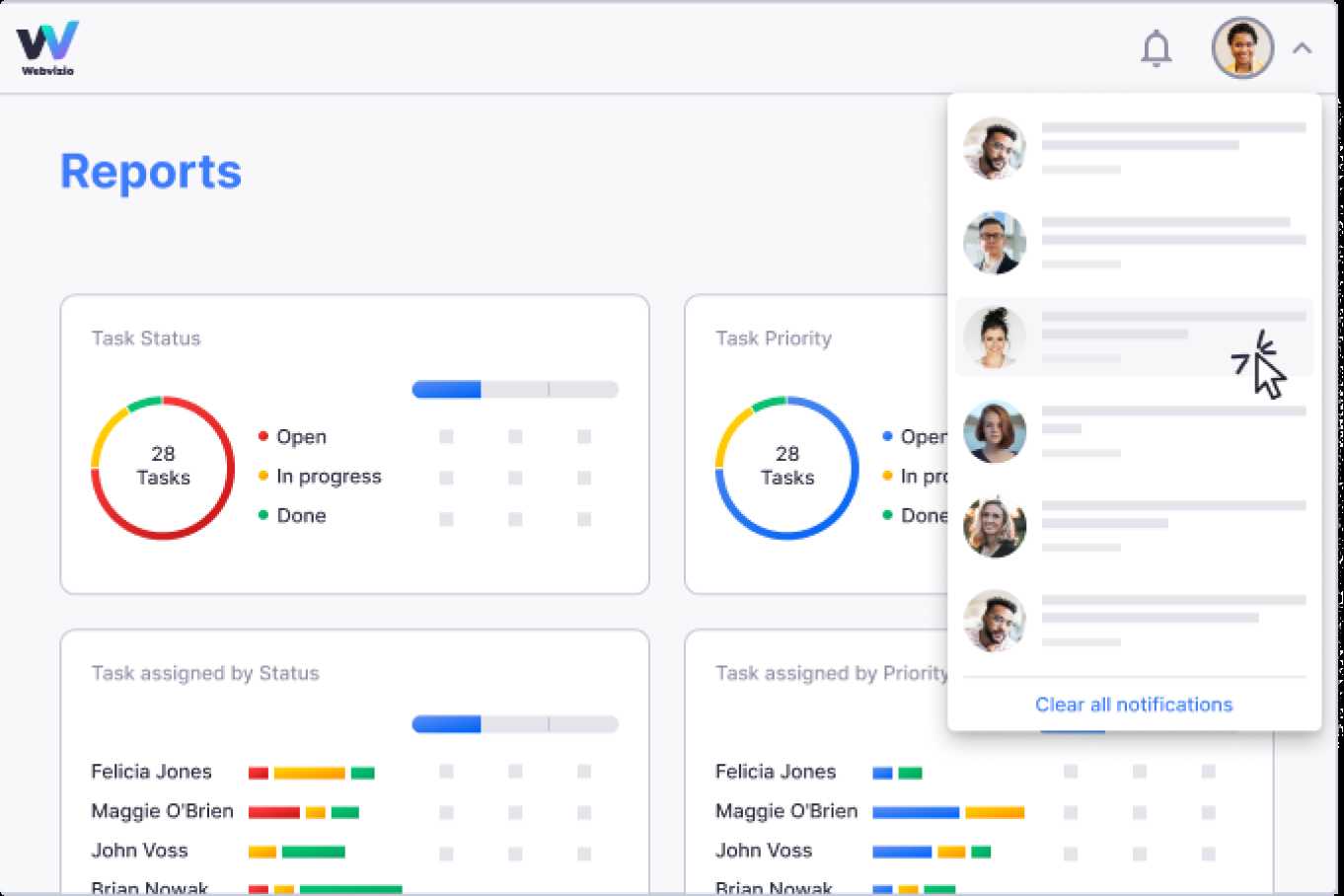
To review project progress effectively with real-time reporting, set up dashboards that automatically update with live data, and hold regular briefings to interpret these insights. Use project management tools that offer instant updates on tasks, deadlines, and resource allocation to stay on top of everything. By integrating real-time data, teams can quickly identify issues, adjust plans, and ensure projects stay on track.
Real-time reporting allows project managers to monitor progress continuously, providing immediate visibility into key metrics and potential bottlenecks. This proactive approach helps teams make informed decisions swiftly, minimizing delays and enhancing overall project success. Combining real-time dashboards with consistent communication ensures everyone stays aligned and responsive to any changes or challenges.
Tracking project progress can feel like trying to catch a moving target, but with real-time reporting, it becomes much more manageable. Imagine having every task, deadline, and resource update at your fingertips, updating automatically without manual input. This way, you can catch problems early, adapt quickly, and keep your project moving smoothly. No more waiting for end-of-week reports—real-time insights give you the power to steer your project in the right direction at all times.

How to review project progress with real time reporting
Understanding the importance of real time reporting
Real time reporting provides instant access to project data. It helps teams see how tasks are progressing at any moment. By reviewing this data, managers can identify issues early and make quick decisions.
Benefits of real time project updates
Real time updates keep everyone on the same page. They improve transparency and accountability. This approach reduces delays and keeps projects moving smoothly.
Setting up effective real time reporting systems
Choosing the right tools is crucial. Look for software that integrates with your existing systems. Ensure it offers customizable dashboards and automatic data updates.
Selecting the right tools
Popular options include project management platforms like Asana, Trello, or Jira. These tools provide real time dashboards and easy reporting features. Consider your team size and project complexity when choosing.
Customizing dashboards for your project
Configure dashboards to highlight key metrics such as progress percentages, upcoming deadlines, and resource allocation. Use visual elements like graphs and color codes for quick insights.
Gathering relevant data for review
Collect data that accurately reflects project health. This includes task completion status, time tracked, budget consumption, and team member updates.
Metrics to track during review
Important metrics include schedule variance, budget variance, workload distribution, and quality indicators. Tracking these helps assess overall project performance.
Automating data collection
Use software that automatically updates data from different sources. Automating reduces manual work and minimizes errors in reporting.
Analyzing real time project data
Review the data systematically. Look for patterns and trends that indicate progress or potential problems.
Identifying project milestones
Check if key milestones are reached on time. Milestones mark significant points and help measure overall progress.
Spotting delays and bottlenecks
Pay attention to tasks that are behind schedule or over budget. Quickly identifying bottlenecks allows for timely corrective actions.
Using visual tools for better understanding
Visual tools make data easier to interpret. Use charts, graphs, and heat maps for clear and quick insights.
Gantt charts and Kanban boards
Gantt charts display project timelines and task dependencies. Kanban boards visualize workflow and task statuses at a glance.
Implementing dashboards for real-time monitoring
Dashboards provide a live overview of project health. They enable managers to see updates as they happen and respond swiftly.
Making data-driven decisions
Use the insights gained from real time reports to guide your actions. Data-driven decisions improve project outcomes and resource management.
Adjusting project scope and resources
If data shows delays, consider reallocating resources or adjusting project scope to meet deadlines.
Communicating updates effectively
Share relevant reports with stakeholders regularly. Clear communication ensures everyone is informed and aligned.
Encouraging team collaboration through real time reporting
Real time reporting fosters transparency. It encourages team members to stay accountable and work collectively towards goals.
Sharing progress with team members
Set up shared dashboards accessible to all. Regular updates motivate teams and highlight contributions.
Collaborating on problem-solving
Use real time data to identify issues early. Collaborate to find solutions quickly and efficiently.
Monitoring project performance over time
Track project metrics throughout its lifecycle. Monitoring trends helps in planning future projects and improving processes.
Creating reports for review meetings
Generate periodic reports to discuss progress with stakeholders. Use visual summaries for clarity.
Identifying areas for improvement
Analyze historical data to pinpoint weaknesses. Use this insight to enhance project management practices.
Integrating real time reporting with other project management activities
Link real time data with other tools like resource planning and risk management. Integration results in a comprehensive view of project health.
Linking with resource allocation systems
Ensure real time reports inform decisions on staffing and resource distribution for ongoing projects.
Using feedback for continuous improvement
Regularly review data and feedback. Adjust your processes to streamline future projects.
Overcoming challenges in real time project review
Implementing real time reporting can face obstacles like data overload or technology issues. Prepare solutions to address these challenges effectively.
Dealing with data overload
Focus on key metrics to avoid confusion. Use filters and customizable views to manage large amounts of data.
Ensuring data accuracy and security
Verify data sources regularly. Protect sensitive project information with proper access controls and encryption.
Best practices for successful project review
Consistent routines, clear communication, and team engagement are essential. Regularly train staff on reporting tools and techniques.
Establishing regular review meetings
Schedule weekly or bi-weekly check-ins. Use these meetings to interpret data and plan next steps.
Encouraging transparency and open communication
Promote an environment where team members freely share updates and concerns. Transparency boosts project success.
Reviewing project progress with real time reporting simplifies tracking and enhances decision-making. By setting up the right tools, analyzing the data effectively, and fostering team collaboration, managers can keep projects on track. Regular reviews lead to better resource use and successful project completion. This approach makes managing complex projects easier and more efficient, ensuring objectives are met on time and within budget.
Tracking Project Progress in Microsoft Project in 15 Minutes!
Frequently Asked Questions
What are effective ways to interpret real-time project data during progress reviews?
To interpret real-time project data effectively, focus on key performance indicators (KPIs) that reflect your project’s objectives. Analyze trends over specific periods to identify potential issues early. Use visual tools like dashboards and charts to make data more understandable at a glance. Regularly compare current data against project milestones to evaluate whether the project stays on track and adjust plans accordingly.
How can team members contribute to real-time project reporting for better oversight?
Team members can enhance real-time project reporting by providing timely updates on their tasks, flagging any obstacles immediately, and ensuring their work logs are accurate and up-to-date. Encourage open communication so team members feel comfortable sharing issues or delays as they arise. This proactive approach allows project managers to address concerns quickly and keep the project progressing smoothly.
What tools or software facilitate effective review of project progress in real-time?
Tools like project management dashboards, collaboration platforms, and analytics software enable real-time tracking of project tasks and performance metrics. These tools automate data collection and visualization, making it easier to identify bottlenecks and monitor progress continuously. Selecting a platform that integrates well with your existing systems ensures seamless updates and comprehensive visibility across all project aspects.
How should project managers adjust their strategies based on real-time reporting insights?
When project managers analyze real-time reports, they should be prepared to revise schedules, reallocate resources, or modify scope to stay aligned with project goals. Use insights to prioritize critical tasks, address issues proactively, and communicate changes promptly to the team. This flexibility helps maintain project momentum and minimizes the impact of unforeseen challenges.
What are common challenges faced when reviewing project progress through real-time reporting, and how can they be addressed?
Common challenges include data overload, inaccurate reporting, and delayed updates. To address these, establish clear reporting standards, train team members on data entry, and use automated tools to reduce manual input errors. Regularly review reporting processes to ensure the information remains relevant and actionable. Encouraging transparency and accountability also promotes more accurate and timely data sharing.
Final Thoughts
Reviewing project progress with real time reporting allows teams to stay updated and make informed decisions quickly. It provides immediate insights into current tasks, upcoming deadlines, and potential issues. Regularly analyzing these reports helps identify bottlenecks early and adjust plans accordingly. Staying proactive ensures projects stay on track and meet goals effectively.