
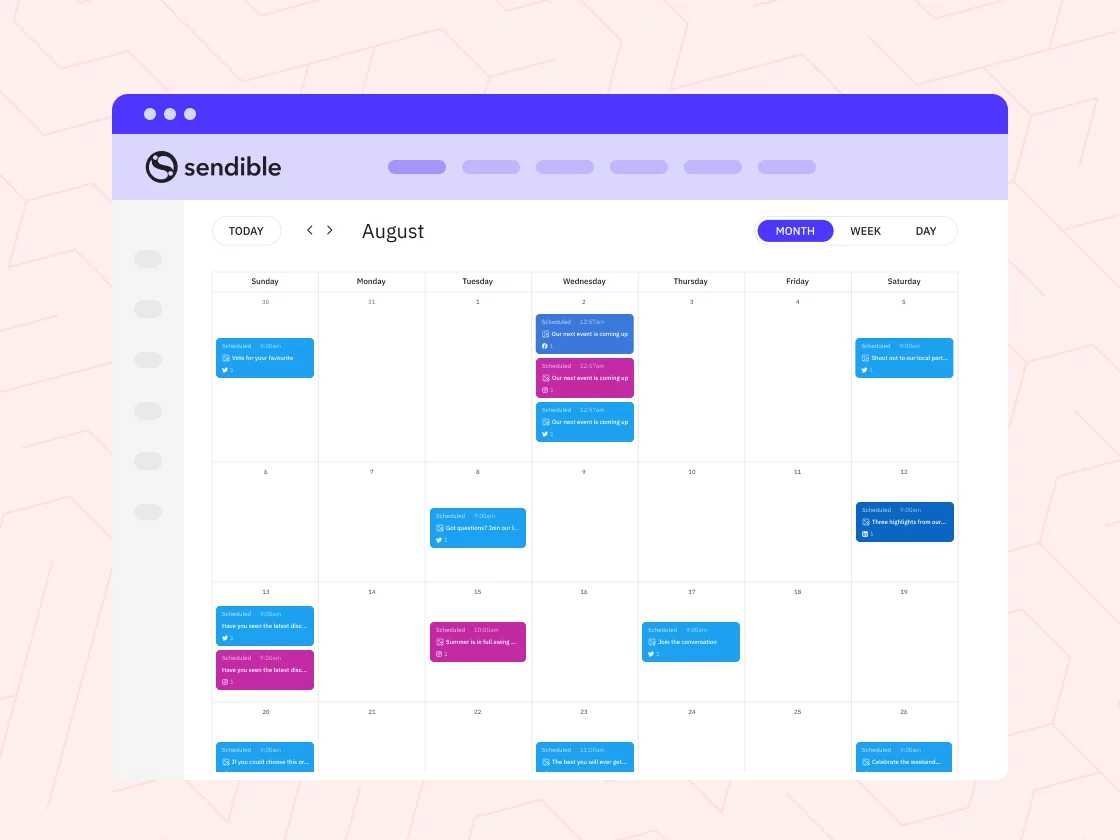
To effortlessly manage your social media presence, scheduling posts in advance is key. Using social media tools allows you to plan your content, stay consistent, and save time, making your marketing efforts more effective. With a few clicks, you can set your posts to go live at optimal times, ensuring maximum engagement without the stress of manual posting.
Scheduling posts with social media tools is simple and efficient. Just select your preferred platform, create your content, choose the timing, and hit schedule. These tools work across multiple platforms, letting you automate your posting process so you can focus on creating great content and engaging with your audience.
Managing a vibrant social media presence can feel overwhelming, especially with multiple platforms to handle. Thankfully, social media management tools streamline the process, allowing you to plan and automate your posts ahead of time. Whether you’re a small business owner or a social media manager, mastering the art of scheduling can boost your productivity and ensure your content reaches your audience at the right moment. This guide will walk you through the easiest ways to use these tools and maximize your social media strategy.

Scheduling posts on social media is a smart way to stay consistent and save time. With the right tools, you can prepare content in advance and have it published automatically. This section will explore different social media tools and how to use them to schedule your posts effectively.
Social media scheduling means setting up posts to go live at specific times in the future. It helps you plan your content calendar without needing to be online constantly. This way, you can focus on engaging with your audience instead of worrying about posting every day.
Scheduling tools also boost your productivity. You can prepare several posts in one sitting and set them up for automatic posting. This ensures your accounts stay active, especially during busy times or when you’re away.
Using the right tools saves effort and improves your social media strategy. It allows you to maintain a steady flow of content, which keeps your followers engaged and helps grow your online presence.
| Name | Features | Best For |
|---|---|---|
| Hootsuite | Multiple account management, analytics, content curation | Businesses and agencies managing multiple accounts |
| Buffer | Simple interface, post scheduling, analytics | Small businesses and individuals |
| Sprout Social | Comprehensive analytics, engagement tools, automation | Large teams and enterprise-level users |
| Later | Visual content calendar, Instagram scheduling, media library | Visual brands and Instagram-focused accounts |
| HubSpot | All-in-one marketing, CRM integration, scheduling | Marketing teams and CRM users |
Choosing the Right Tool for Your Needs
When selecting a social media scheduling tool, consider your goals and the platforms you use. For example, if you focus mainly on Instagram, Later offers excellent visual planning features. For managing several accounts across different platforms, Hootsuite or Sprout Social work well.
Think about your budget too. Many tools offer free plans with limited features, while premium plans provide more options and analytics. Try out a few options to find the best fit for your workflow and goals.
Also, check if the tool integrates with other apps you use, like content creation tools or analytics platforms. This integration can save you time and make scheduling more seamless.
How to Schedule Posts Step-by-Step
1. Create Your Content
Start by preparing your content, including text, images, or videos. Make sure your content aligns with your brand voice and goals. Using high-quality visuals can increase engagement and reach.
2. Choose a Scheduling Tool
Log into your preferred social media scheduling platform. Connect your social media accounts if you haven’t already. Most tools offer easy account integration through their dashboard.
3. Upload Your Content
Upload your posts to the platform. This could involve selecting media files from your computer or cloud storage and writing the accompanying captions. Many tools allow you to edit or preview your posts before scheduling.
4. Select Posting Date and Time
Pick the date and time you want your post to be published. Use analytics data or insights to find the best times when your audience is most active. This increases the chances of your post getting noticed.
5. Schedule or Queue Your Post
Click on the schedule button to set the post for automatic publishing. Some tools also allow you to add posts to a queue that automatically fills your content calendar over a period.
6. Review and Edit Scheduled Posts
Check your scheduled posts for accuracy and timing. Make adjustments if needed. Most platforms also provide a calendar view for easy management of upcoming content.
7. Monitor and Adjust
Once the posts are live, keep an eye on engagement metrics. Use insights to adjust your future scheduling strategy for better results.
Best Practices for Effective Scheduling
- Plan your content calendar: Create a schedule that covers different topics and themes to keep your audience interested.
- Be consistent: Regular posting builds trust and keeps your followers engaged over time.
- Use analytics: Study when your followers are most active and schedule posts accordingly.
- Mix content types: Share a variety of posts, including images, videos, stories, and polls to keep your feed lively.
- Avoid over-scheduling: Too many posts at once can overwhelm your audience and reduce engagement.
Additional Tips for Success
Sync your scheduling tools with your overall marketing strategy. Regularly review your content’s performance data and adapt your schedules. Remember, scheduling is not just about automation but also about maintaining a human touch through thoughtful content and timing.
Use data to refine your posting times continuously. For example, if engagement peaks on Saturday mornings, prioritize scheduling posts during those times.
Finally, stay flexible. Unexpected opportunities or trending topics may require quick adjustments, so keep some manual posting options available.
- Content creation tips: How to produce engaging and shareable content.
- Social media analytics: Understanding and interpreting your data for better results.
- Engagement strategies: Techniques to boost interactions and build relationships.
- Platform-specific tips: Best practices for Facebook, Instagram, Twitter, LinkedIn, and more.
- Handling social media crises: Managing negative comments or viral issues professionally.
By mastering the art of scheduling posts with social media tools, you can maintain a consistent online presence without being tied down to real-time posting. This approach allows you to focus on creating high-quality content and engaging with your audience in meaningful ways.
Frequently Asked Questions
First, create an account on the social media scheduling platform of your choice. Connect your social media profiles by authorizing the app to access each account. Once linked, explore the dashboard to familiarize yourself with the scheduling interface. Prepare your content, including images and captions, and upload them into the tool to start planning your posts.
How can I select the best times to publish my posts using scheduling tools?
Use the analytics features provided by the scheduling platform to identify when your audience is most active. Check audience engagement metrics and insights to pinpoint optimal posting times. Scheduling your posts during these peak periods helps increase visibility and interaction with your content.
Look for tools that allow bulk uploading of content, calendar views for easy planning, and automatic posting features. Additionally, features like content previews, hashtag suggestions, and performance analytics help you optimize your scheduling process and improve overall results.
Choose a platform that supports multiple account management from a single dashboard. Create separate content queues for each account and customize posts specific to each social media platform. Regularly review scheduled content to ensure consistency and relevance across all your profiles.
Avoid over-scheduling content, which can overwhelm your audience. Do not neglect setting appropriate posting times or customizing content per platform. Also, ensure to review scheduled posts for accuracy and relevance to prevent accidental errors or outdated content from going live.
Final Thoughts
How to schedule posts using social media tools helps you maintain consistent engagement and save time. Choose a reliable platform that suits your needs, such as Buffer or Hootsuite. Prepare your content in advance and set specific times for posting to reach your audience effectively. Scheduling ensures your message stays consistent and boosts your online presence effortlessly.