
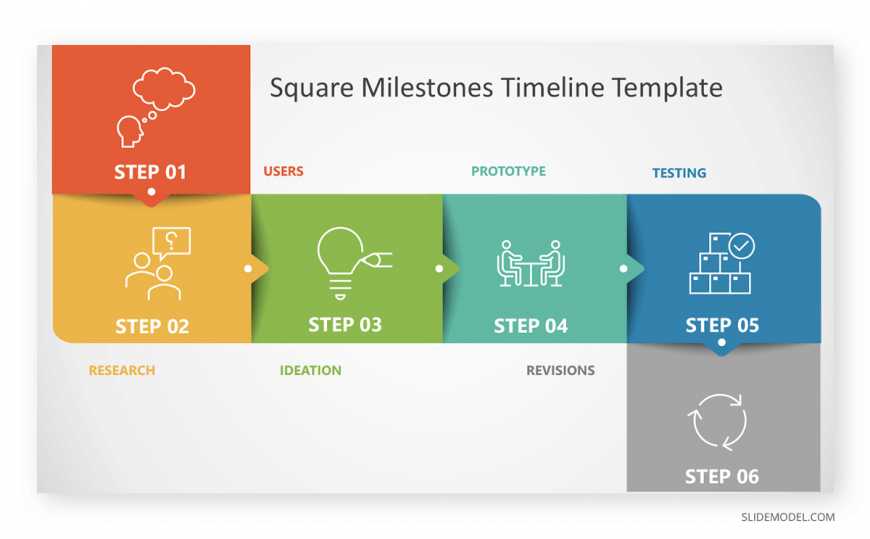
Using templates can dramatically speed up your project kickoff, allowing you to start strong and stay organized from day one. Templates serve as ready-made frameworks that streamline planning, reduce repetitive work, and ensure everyone is on the same page from the start. By leveraging these tools, you can focus more on the unique aspects of your project rather than reinventing the wheel each time. They help you capture key details quickly and facilitate smoother collaboration across teams. In short, templates are your shortcut to a more efficient, consistent, and stress-free project launch. Implementing the right templates from the outset can save time, minimize errors, and keep your project moving forward with confidence.
To use templates for a faster project kickoff, first select or create a comprehensive template tailored to your project’s needs. Fill in the key sections systematically, ensuring all stakeholders review and agree on the details. Regularly update and customize the template to suit your project dynamics, making sure it remains a valuable guiding document throughout the project lifecycle.

How to use templates for faster project kickoff
Starting a new project can often feel overwhelming. Using templates helps you organize your ideas quickly and start working sooner. They save time by providing a ready-made structure that guides your planning process. In this section, you’ll learn how templates make your project kickoff faster and more efficient.
Benefits of using templates for project initiation
Templates help you avoid creating everything from scratch, which takes time. They ensure consistency across different projects, making it easier to compare and improve. Plus, they help new team members understand your process faster.
Using templates also reduces errors because they include essential sections and checklists. This way, important details are less likely to be overlooked. Overall, they make your project setup smoother and quicker.
Types of templates available for project kickoff
| Template Type | Description | Best For |
|---|---|---|
| Project Charter | Defines project goals, scope, stakeholders, and timeline. | Initial planning and stakeholder alignment. |
| Project Plan | Breaks down tasks, deadlines, resources, and responsibilities. | Scheduling and resource allocation. |
| Risk Management | Identifies potential risks and mitigation strategies. | Managing uncertainties in the project. |
| Stakeholder Analysis | Lists stakeholders and their interests or influence. | Communication planning and engagement. |
| Meeting Agenda | Guides discussions and keeps meetings on track. | Project kickoff meetings and status updates. |
How to select the right template for your project
Choosing the right template depends on your project type and goals. First, identify what information is most critical for your kickoff. Then, pick a template that covers those areas best.
Consider the complexity of your project. Smaller projects may need simple templates, while larger initiatives require detailed ones. Also, match the template format with your team’s workflow for smoother adoption.
Customizing templates to fit your project needs
Steps to tailor a template effectively
- Review each section carefully to understand what information is required.
- Remove or add sections based on your project’s scope and complexity.
- Update placeholders with specific project details and deadlines.
- Include team-specific roles, responsibilities, and contact information.
- Adjust the language or format to match your company’s standards and style.
Best practices for customization
Keep your customization simple to avoid clutter. Use clear and concise language to make the template easy to understand. Regularly review and update the template as your project progresses and needs change.
Integrating templates into your project management tools
Most templates can be imported into popular project management platforms like Asana, Trello, or Microsoft Project. Integration makes it easy to update and share work with your team.
Set up templates as starting points for new projects to keep everyone aligned. Automate recurring tasks within these tools to reduce manual updates and improve consistency.
Make sure your team knows where to access the templates easily. Use shared drives, company intranets, or project management software. Provide clear instructions on how to customize and use templates effectively.
Encourage feedback to improve templates continuously. Regularly updating templates based on team input can help streamline future project kickoffs.
Using templates for ongoing projects
Templates are not just for starting a project. They can be adapted for project updates, reports, and evaluations. Reusing templates keeps your project documentation consistent and saves time.
Set up a process where team members can quickly update templates during project phases. This habit helps track progress and stay aligned with initial goals.
Case studies: Successful use of templates
Many organizations see faster project launches with templates. For example, a marketing team used a project plan template to cut planning time in half. They began initiating campaigns more quickly and with fewer errors.
Another example is an IT department that standardized risk management templates. This improved their ability to identify issues early, reducing project delays significantly.
Tips for maintaining and improving templates
- Regularly review templates for relevance and clarity.
- Collect user feedback to identify what works and what doesn’t.
- Update templates to reflect changing project practices or industry standards.
- Archive outdated versions to avoid confusion.
Using templates is an effective way to kick off projects faster. By choosing the right templates, customizing them properly, and integrating them into your workflow, you save valuable time and reduce errors. Keep refining your templates and sharing best practices across your team to ensure every project starts on a strong foundation. With these approaches, your project team can launch initiatives more efficiently and be better prepared for success from day one.
How to Quickly Create an IT Project Kick-Off Deck
Frequently Asked Questions
How can I customize templates to suit specific project needs?
To customize templates effectively, start by reviewing the default structure and content. Replace placeholder text with project-specific details, such as objectives, timelines, and team roles. Adjust sections to include relevant information unique to your project, and add or remove components to better align with your workflow. This approach helps ensure the template accurately reflects your project requirements, saving time during onboarding and planning.
What are best practices for organizing templates for multiple projects?
Organize templates into clearly labeled folders based on project types or departments. Use consistent naming conventions to easily identify the purpose of each template. Maintain a version control system to track updates and modifications. Regularly review and update templates to incorporate lessons learned from past projects, ensuring they remain relevant and useful for future initiatives.
How can I train my team to effectively utilize templates during project initiation?
Provide comprehensive training sessions that demonstrate how to access, customize, and apply templates for different projects. Offer written guides or video tutorials that team members can reference as needed. Encourage feedback to identify areas where templates can be improved. Reinforcing best practices ensures everyone uses templates correctly, which reduces setup time and promotes consistency across projects.
Final Thoughts
Using templates for faster project kickoff saves time and improves consistency. They provide a clear structure, helping teams organize tasks efficiently. Customize templates to fit your project’s specific needs, ensuring relevance and clarity.
Familiarity with your templates speeds up the process and keeps everyone aligned.
How to use templates for faster project kickoff ensures a smoother start, reduces confusion, and promotes quick collaboration.